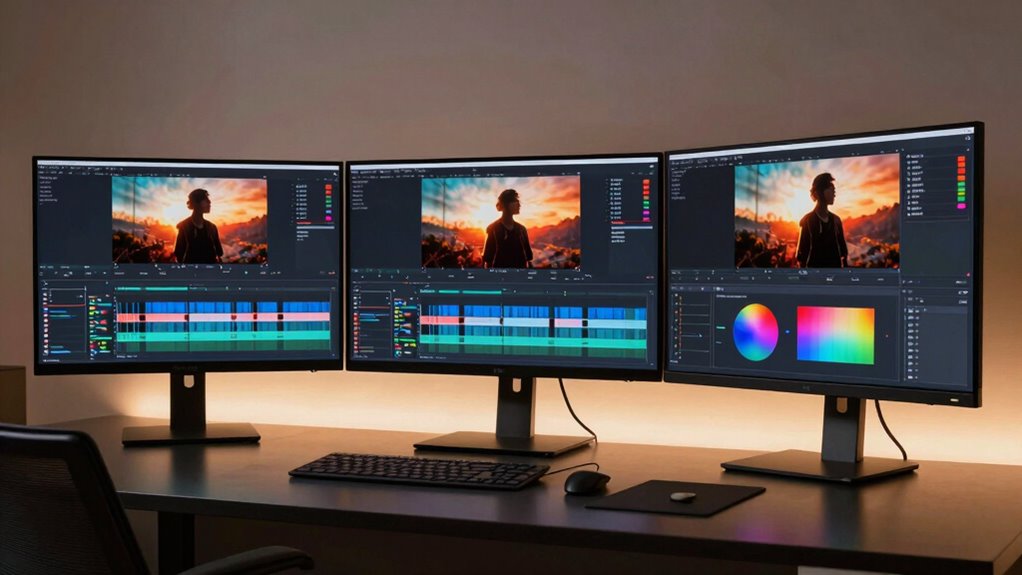

Choosing the right monitor for film editing involves balancing color accuracy, resolution, connectivity, and ergonomics. For high-end professionals, the ASUS ProArt PA279CRV offers precise color calibration and 4K resolution, but comes at a higher price. The Dell S3225QS provides a larger screen with vivid visuals and smooth refresh rates, suitable for both editing and casual viewing, yet lacks extensive ergonomic features. Meanwhile, the ASUS ProArt Display strikes a middle ground with WQHD resolution and excellent color accuracy, ideal for those needing a precise but more affordable option. These picks highlight key tradeoffs between resolution, connectivity, and budget, helping you find the best fit for your workflow.
Key Takeaways
- 4K resolution and wide color gamuts are critical for professional color grading.
- Ergonomic adjustments improve comfort during long editing sessions.
- Connectivity options like USB-C streamline workflows with modern devices.
- High refresh rates benefit video playback but are less crucial for static editing work.
- Price varies significantly based on color accuracy, resolution, and features.
| ASUS ProArt PA279CRV 27-Inch 4K UHD HDR Professional Monitor for Mac |  | Best Overall for Professional Color Accuracy | Display Size: 27 inches | Resolution: 3840 x 2160 (4K UHD) | Panel Type: IPS | VIEW ON AMAZON | See Our Full Breakdown |
| Dell 32 Monitor S3225QS 4K UHD VA, 120Hz, FreeSync Premium, Eye Comfort |  | Best for Vivid Visuals and Versatile Use | Display Size: 31.5 inches | Resolution: 3840 x 2160 (4K UHD) | Panel Type: VA | VIEW ON AMAZON | See Our Full Breakdown |
| Dell 27 Plus Monitor – S2725HSM |  | Best for Budget-Friendly, Fast-Response Editing | Display Size: 27 inches | Resolution: 1920 x 1080 (FHD) | Refresh Rate: 144Hz | VIEW ON AMAZON | See Our Full Breakdown |
| ASUS 27″ ProArt Display Monitor, WQHD (2560 x 1440), 100% sRGB/Rec. 709 |  | Best for Mid-Range Professional Editing | Display Size: 27 inches | Resolution: 2560 x 1440 (WQHD) | Color Gamut: 100% sRGB, Rec. 709 | VIEW ON AMAZON | See Our Full Breakdown |
| Dell Pro P2725H Plus 27-Inch FHD Monitor |  | Best for Ergonomic, Budget-Conscious Work | Display Size: 27 inches | Resolution: 1920 x 1080 (FHD) | Panel Technology: IPS | VIEW ON AMAZON | See Our Full Breakdown |
| monitors for film editing | Display Size | Resolution | Connectivity |
|---|---|---|---|
| ASUS ProArt PA279CRV 27-Inch 4 | 27 inches | 3840 x 2160 (4K UHD) | USB-C with 96W PD, DisplayPort, HDMI |
| Dell 32 Monitor S3225QS 4K UHD | 31.5 inches | 3840 x 2160 (4K UHD) | HDMI, DisplayPort |
| Dell 27 Plus Monitor | 27 inches | 1920 x 1080 (FHD) | HDMI |
| ASUS 27" ProArt Display Monito | 27 inches | 2560 x 1440 (WQHD) | DisplayPort, HDMI, USB-C |
| Dell Pro P2725H Plus 27-Inch F | 27 inches | 1920 x 1080 (FHD) | HDMI, DisplayPort, USB-C |
More Details on Our Top Picks
ASUS ProArt PA279CRV 27-Inch 4K UHD HDR Professional Monitor for Mac
The ASUS ProArt PA279CRV stands out for its exceptional color accuracy, covering 99% of DCI-P3 and Adobe RGB, with factory calibration and Calman Verified certification. Its 4K UHD resolution ensures sharp detail essential for color grading and fine editing work. Compared with the Dell S3225QS, it offers more precise color reproduction, though at a higher price and with no built-in speakers. Its extensive connectivity, including USB-C with 96W Power Delivery, makes it a versatile choice for professional workflows. However, it’s best suited for dedicated editing environments, as the premium price and lack of entertainment features might deter casual users.
Pros:- Exceptional color coverage and accuracy with factory calibration
- 4K UHD resolution for detailed editing work
- Versatile connectivity including USB-C with power delivery
- Ergonomic stand for extended use
Cons:- Premium price may be prohibitive for some users
- No built-in speakers or entertainment features
- Limited to professional workflows
Best for: Professional film editors needing accurate color reproduction and high resolution.
Not ideal for: Casual editors or those on a tight budget who don’t require top-tier color accuracy.
- Display Size:27 inches
- Resolution:3840 x 2160 (4K UHD)
- Panel Type:IPS
- Color Coverage:99% DCI-P3, 99% Adobe RGB
- Color Accuracy:Delta E < 2
- Connectivity:USB-C with 96W PD, DisplayPort, HDMI
Our verdict“The ASUS ProArt PA279CRV offers unmatched color accuracy and resolution for professional film editing, justifying its higher price for serious creatives.”
Dell 32 Monitor S3225QS 4K UHD VA, 120Hz, FreeSync Premium, Eye Comfort
The Dell S3225QS offers a larger 31.5-inch 4K display with a VA panel that delivers deep contrast and vibrant colors, making it ideal for viewing and editing high-dynamic-range footage. Its 120Hz refresh rate and FreeSync Premium support mean it’s equally capable for smooth video playback and casual gaming. Compared with the ASUS ProArt, it sacrifices some color precision for vividness and size, but its eye comfort features and sleek design make it a strong choice for those who want a versatile monitor. Its limited ergonomic adjustments and lack of USB-C may be drawbacks for professional workflows.
Pros:- Vivid visuals with high contrast and HDR readiness
- Smooth 120Hz refresh rate with FreeSync
- Eye comfort technology reduces fatigue
- Large, immersive display
Cons:- Limited ergonomics; no height adjustment
- No mention of internal speakers quality
- Less suited for color-critical editing
Best for: Editors who prioritize large, vivid displays with smooth video playback.
Not ideal for: Color-critical workflows requiring precise calibration or ergonomic flexibility.
- Display Size:31.5 inches
- Resolution:3840 x 2160 (4K UHD)
- Panel Type:VA
- Refresh Rate:120Hz
- HDR:Yes
- Connectivity:HDMI, DisplayPort
Our verdict“The Dell S3225QS balances size and vibrancy, making it suitable for casual editing and multimedia consumption, but less ideal for precise color grading.”
Dell 27 Plus Monitor – S2725HSM
The Dell S2725HSM is designed for editors who need quick response times and decent resolution. Its 27-inch FHD display with 144Hz refresh rate and 1ms response time makes it more suitable for fast-paced video work or gaming, rather than detailed color grading. It includes an adjustable stand and built-in speakers, offering convenience at an affordable price. Compared with higher-resolution options, it sacrifices detail fidelity but excels in responsiveness and affordability, making it ideal for editors who also do gaming or require quick visual feedback.
Pros:- Fast 144Hz refresh rate and 1ms response time
- Adjustable stand for ergonomic comfort
- Built-in speakers for convenience
- Affordable price point
Cons:- Limited to 1080p resolution
- No USB-C or high-end connectivity
- Less suitable for detailed color grading
Best for: Editors on a budget who need fast response times and decent color accuracy.
Not ideal for: Professionals needing high resolution or precise color calibration.
- Display Size:27 inches
- Resolution:1920 x 1080 (FHD)
- Refresh Rate:144Hz
- Response Time:1ms
- Connectivity:HDMI
Our verdict“This monitor excels in responsiveness and affordability, making it a good choice for editors who also game or need quick feedback, but not for high-end color work.”
ASUS 27″ ProArt Display Monitor, WQHD (2560 x 1440), 100% sRGB/Rec. 709
The ASUS ProArt Display offers a 27-inch WQHD panel with 100% sRGB and Rec.709 coverage, calibrated and Calman Verified. It’s a reliable choice for editors who need accurate colors without the expense of 4K. Its 75Hz refresh rate is sufficient for editing workflows, though not ideal for fast-paced gaming. The extensive connectivity options, including USB-C, and ergonomic stand make it a practical, versatile option for mid-range professionals. However, it doesn’t match the 4K resolution of higher-end models, which might limit fine detail work.
Pros:- Excellent color accuracy with 100% sRGB and Rec.709
- Calman Verified calibration for professional work
- USB-C connectivity simplifies modern workflows
- Ergonomic stand with multiple adjustments
Cons:- Lower resolution (WQHD) compared to 4K options
- 75Hz refresh rate isn’t suitable for high-end gaming
- No built-in speakers
Best for: Editors seeking accurate colors at a more accessible price point.
Not ideal for: Those requiring ultra-high resolution or advanced HDR support.
- Display Size:27 inches
- Resolution:2560 x 1440 (WQHD)
- Color Gamut:100% sRGB, Rec. 709
- Color Accuracy:ΔE<2
- Connectivity:DisplayPort, HDMI, USB-C
Our verdict“The ASUS ProArt WQHD strikes a balance between professional color accuracy and affordability, suitable for editors who don’t need 4K resolution.”
Dell Pro P2725H Plus 27-Inch FHD Monitor
The Dell Pro P2725H Plus is a straightforward 27-inch Full HD IPS monitor with solid color and wide viewing angles, making it suitable for general editing and office work. Its multiple inputs, including HDMI, DisplayPort, and USB-C, and its adjustable stand provide ergonomic comfort. While it’s limited by a 60Hz refresh rate and lower brightness, it offers reliable performance for everyday editing tasks. The lack of high-end features like 4K resolution or HDR means it’s best for editors on a budget or those doing basic color correction.
Pros:- Good color accuracy with IPS technology
- Multiple connectivity options including USB-C
- Ergonomic stand with tilt, swivel, and height adjustments
- Affordable price point
Cons:- Limited to 60Hz refresh rate
- No high-end features like HDR or 4K
- Brightness might be insufficient in bright environments
Best for: Budget-conscious editors needing ergonomic features and decent color fidelity.
Not ideal for: Professionals requiring high resolution or HDR support.
- Display Size:27 inches
- Resolution:1920 x 1080 (FHD)
- Panel Technology:IPS
- Brightness:250 cd/m²
- Connectivity:HDMI, DisplayPort, USB-C
Our verdict“A practical, budget-friendly choice for general editing, especially when ergonomic flexibility matters most.”
How We Picked
Our selection process focused on monitors that meet the specific needs of film editors, emphasizing color accuracy, resolution, and connectivity. We prioritized models with factory calibration, wide color gamuts (at least 99% sRGB/Adobe RGB), and adjustable stands for ergonomic comfort. We also considered display technology (IPS or VA), refresh rates, and additional features such as HDR support and USB-C ports. Price was a factor, but only when paired with professional-grade specs, ensuring each pick offers value within its category.
| monitors for film editing | Connectivity |
|---|---|
| ASUS ProArt PA279CRV 27-Inch 4 | USB-C with 96W PD, DisplayPort, HDMI |
| Dell 32 Monitor S3225QS 4K UHD | HDMI, DisplayPort |
| Dell 27 Plus Monitor | HDMI |
| ASUS 27" ProArt Display Monito | DisplayPort, HDMI, USB-C |
| Dell Pro P2725H Plus 27-Inch F | HDMI, DisplayPort, USB-C |
Factors to Consider When Choosing Monitors For Film Editing
When selecting a monitor for film editing, consider how color accuracy, resolution, and connectivity impact your workflow. High-end workflows demand 4K resolution and extensive color gamuts, while budget options may suffice with WQHD or FHD screens. Ergonomic features like adjustable stands and multiple inputs improve comfort and versatility over long editing sessions. Understanding these factors helps narrow down the options to fit both your creative needs and budget.
Color Accuracy and Gamut
For professional film editing, color precision is paramount. Look for monitors with wide color gamuts like 99% Adobe RGB or DCI-P3, and factory calibration or certification such as Calman Verified. These features ensure your work appears as intended across different devices and platforms.
Resolution and Screen Size
Higher resolution screens (4K or WQHD) allow for detailed work and precise color grading, especially on larger displays. Smaller or lower-resolution monitors might be suitable for casual editing or secondary screens but can limit fine detail work in professional workflows.
Connectivity and Ergonomics
Modern workflows benefit from USB-C or Thunderbolt ports that combine data, display, and power delivery. Ergonomic stands with height, tilt, swivel, and pivot adjustments reduce fatigue during long editing sessions. Consider these features based on your workspace setup and workflow needs.
Frequently Asked Questions
Why is color accuracy so important in film editing monitors?
Color accuracy ensures that the colors you see on your monitor match those in your final output, which is essential for professional grading and color correction. Inaccurate colors can lead to mismatched tones and inconsistencies across different viewing devices, so high-fidelity color reproduction is fundamental for quality film editing.
Is 4K resolution necessary for film editing?
While not strictly necessary, 4K resolution provides greater detail and flexibility during editing, especially for high-resolution footage or cropping. For full-featured professional work, 4K displays are highly recommended, but WQHD can suffice for less demanding tasks or secondary monitors.
What role does connectivity play in choosing a monitor?
Connectivity options like USB-C, HDMI, and DisplayPort affect how easily your monitor integrates with your editing hardware. USB-C with Power Delivery simplifies cable management by combining power and data transfer, making workflows more efficient and reducing clutter.
Are ergonomic features important for film editors?
Yes, adjustable stands that allow for height, tilt, swivel, and pivot adjustments help prevent strain during long editing sessions. Comfort is vital for productivity and health, especially when working for extended periods.
Should I buy a monitor with HDR support?
HDR support enhances contrast and color depth, making it valuable for editors working on HDR content. However, accurate color reproduction and wide gamuts are more critical for color grading, so consider HDR as a supplementary feature rather than the primary factor.
Conclusion
For professional film editors prioritizing color accuracy and resolution, the ASUS ProArt PA279CRV is the best choice, despite its higher price. Creatives seeking a larger, vibrant display for multimedia and general editing may prefer the Dell S3225QS. Budget-conscious editors or those who need responsiveness for fast-paced editing or gaming should consider the Dell S2725HSM. Meanwhile, the ASUS ProArt WQHD offers a middle ground for those who want reliable color fidelity without stepping up to 4K. Ultimately, your selection depends on your specific workflow, budget, and whether you prioritize color precision, size, or cost-effectiveness.