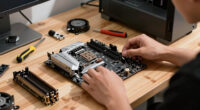
Your choice of card readers, docks, and ingest habits directly impacts your workflow quality. Compatible, fast docks and reliable card readers reduce delays, prevent data corruption, and guarantee smooth transfers. Developing consistent habits like verifying file integrity and tagging metadata improves organization and speeds up editing. Proper setup and routines minimize errors and technical hiccups. Keep exploring how optimizing these tools and habits can make your editing process more efficient and stress-free.

Get movie nights delivered free — and shop member deals
- Fast, free delivery on millions of items
- Access to Prime Big Deal Days deals on October 6–7
- Prime Video, Amazon Music and more included
Key Takeaways
- Proper hardware compatibility ensures reliable data transfer, reducing errors and workflow delays.
- Automated metadata management during ingestion improves file organization and searchability.
- Consistent ingest habits, like verifying file integrity, prevent data loss and streamline editing.
- Docks supporting fast transfer speeds minimize workflow bottlenecks and increase efficiency.
- Structured storage and naming conventions facilitate quick file retrieval and reduce confusion.
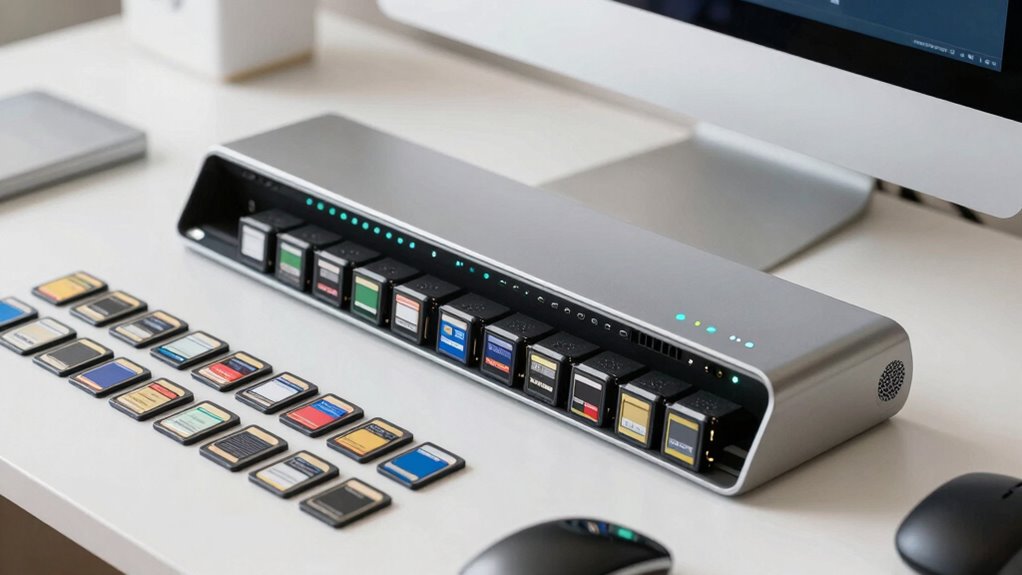
In today’s fast-paced production environments, the way you handle card readers, docks, and ingest habits directly influences your workflow efficiency. When you insert media cards into card readers, the process of metadata management becomes crucial. Properly managing metadata ensures that your files are correctly labeled, organized, and easily searchable later. If metadata isn’t handled consistently or accurately during ingestion, it can lead to confusion and delays, forcing you to spend extra time sorting and correcting files. Choosing card readers that support robust metadata management features allows you to automate parts of this process, reducing human error and streamlining your workflow.
Effective metadata management during ingestion enhances organization, searchability, and efficiency in fast-paced production workflows.
Hardware compatibility is another key factor that impacts your efficiency. Not all card readers, docks, or ingest devices work seamlessly with every computer or editing system. If your hardware isn’t compatible, you risk encountering connection issues, data transfer failures, or corrupted files, which can halt your project midway. Investing in equipment that’s compatible with your existing setup minimizes these risks and ensures a smoother, more reliable ingestion process. It’s also wise to verify that your docks support the fast data transfer speeds needed for high-resolution footage, so your workflow isn’t bogged down by slow transfers. Additionally, understanding hardware compatibility can help you select the right devices that integrate seamlessly with your editing environment.
Your ingest habits play a major role in maintaining a fluid workflow. Rushing through the process or skipping proper setup can lead to disorganized files and lost data. Developing a consistent ingestion routine—such as always verifying file integrity after transfer and double-checking metadata accuracy—helps prevent errors that might cause delays later. Using automated workflows, where possible, can also save time and reduce manual handling, especially when integrating with your media asset management system. This way, your files are ingested cleanly and systematically, ready for editing without extra cleanup.
Additionally, your habits around storage and file organization matter. If you don’t follow a structured approach to storing media, it becomes much harder to locate files quickly when needed. Implementing logical folder hierarchies and naming conventions during ingestion ensures everything stays organized from the start. This reduces the time spent searching for files and prevents accidental overwrites or misplacement. Proper file naming conventions and consistent metadata tagging are essential for a streamlined workflow. When paired with hardware that supports rapid data transfer and metadata tagging, your overall workflow becomes more efficient, allowing you to focus more on the creative aspects of your project and less on technical hiccups.
high-speed SD card reader for video editing
As an affiliate, we earn on qualifying purchases.
As an affiliate, we earn on qualifying purchases.
Frequently Asked Questions
How Do Different Card Reader Brands Compare in Performance?
You’ll find that different card reader brands vary in performance, especially regarding brand reliability and performance consistency. Some brands, like SanDisk and Lexar, are known for high reliability and consistent performance, reducing errors during data transfer. Others may offer lower costs but compromise on speed or durability. To optimize your workflow, choose a brand with a strong reputation for reliability and consistent performance, ensuring smooth, efficient data ingestion every time.
What Training Is Needed for Optimal Dock Usage?
You need to provide user training focused on dock procedures to guarantee ideal usage. Teach users how to properly connect devices, handle data transfers, and troubleshoot common issues. Emphasize the importance of following standardized protocols and safety guidelines. Regular refresher sessions help maintain efficiency and reduce errors. Clear instructions and hands-on practice will boost confidence, streamline workflows, and improve overall data management.
How Do Ingest Habits Influence Data Security?
Your ingest habits directly impact data security by influencing how effectively you implement data encryption and access controls. When you regularly follow secure procedures, such as encrypting data during transfer and restricting access to authorized personnel, you mitigate the risk of breaches. Consistently practicing these habits ensures sensitive information stays protected, maintaining the integrity and confidentiality of your data throughout the workflow.
Can Workflow Improvements Reduce Equipment Costs?
Yes, workflow improvements can cut costs and boost efficiency. By streamlining steps, you reduce unnecessary equipment use and minimize downtime, leading to cost reduction. Implementing smarter ingest habits and efficient docking practices speeds up processes, saving time and resources. These efficiency gains lessen the need for frequent equipment upgrades or replacements, ultimately lowering overall expenses while enhancing productivity. Consistent workflow refinement guarantees your setup remains optimized and cost-effective.
What Are Common Troubleshooting Tips for Ingest Delays?
To troubleshoot ingest delays, start by checking your file transfer process. Make sure your connection stability is solid—use a wired connection if possible, and avoid network congestion. Verify that your card reader and dock are functioning correctly and that cables are secure. Restart devices if needed, and update firmware or software. These steps help streamline file transfer, reduce delays, and improve overall workflow efficiency.
USB-C docking station with fast transfer speeds
As an affiliate, we earn on qualifying purchases.
As an affiliate, we earn on qualifying purchases.
Conclusion
By mastering your methods with mindful workflows, you’ll mitigate mistakes, maximize momentum, and maintain momentum. Consistent card reader routines, deliberate dock decisions, and disciplined ingest habits create a seamless, stress-free system. When you prioritize precision over procrastination, you propel productivity and promote professionalism. Small steps, steady strategies, and smart habits shape a smoother, more substantial workflow. Stay savvy, streamline your systems, and see success swiftly surface from simple, strategic steps.
metadata management software for media files
As an affiliate, we earn on qualifying purchases.
As an affiliate, we earn on qualifying purchases.
professional media card reader for photographers
As an affiliate, we earn on qualifying purchases.
As an affiliate, we earn on qualifying purchases.
Fall Picks
fall essentials
As an affiliate, we earn on qualifying purchases.