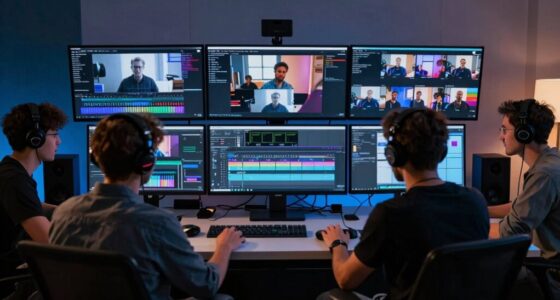

Color grading pushes your hardware in various ways because it involves complex calculations, high-resolution footage, and real-time adjustments. Your GPU needs to handle intensive color corrections and effects quickly, while fast storage minimizes delays during editing. Powerful RAM and processing units are essential to prevent lag and crashes, especially with layered effects and large files. Proper cooling guarantees your hardware stays efficient during long sessions. Keep exploring to discover how these factors work together to support smooth, professional-grade editing.
Key Takeaways
- Color grading involves complex calculations and real-time previews that heavily rely on GPU acceleration, stressing graphics hardware differently.
- High-resolution footage and multiple project versions increase storage and processing demands, pushing storage and memory requirements.
- Intensive effects, masks, and layered adjustments demand significant processing power and high memory bandwidth.
- Prolonged workflows generate heat, requiring effective thermal management to prevent hardware throttling and failures.
- Ensuring hardware efficiency and longevity requires balancing cooling, power, and performance during demanding grading tasks.

Color grading has become an essential step in the filmmaking and video editing process, but it often demands more from your hardware than you might expect. When you start adjusting colors, contrast, and tones to achieve a polished look, your system’s GPU acceleration becomes a crucial factor. GPU acceleration offloads complex calculations from your CPU, allowing real-time previews and smoother workflows. Without it, your editing sessions can become sluggish, especially with high-resolution footage or intricate color corrections. The GPU’s power directly influences how quickly your system processes these changes, making it indispensable for efficient color grading.
Beyond GPU considerations, storage requirements play a significant role in handling the demands of color grading. As you work, your software generates multiple temporary files, high-resolution cache data, and sometimes even multiple versions of your project. This accumulation can quickly eat up storage space, especially if you’re working with 4K or higher footage. Fast, reliable storage solutions like SSDs are essential to keep up with these demands. Slow drives can cause delays, stuttering previews, and longer rendering times, hampering your creative flow. Ensuring you have ample, high-speed storage minimizes bottlenecks, so you can focus on perfecting your look without technical interruptions.
Color grading also pushes your hardware in ways that extend beyond just GPU and storage. The process involves intense data processing, color space conversions, and rendering tasks that demand significant memory bandwidth and processing power. When you apply complex nodes, masks, or layered effects, your system needs to juggle multiple tasks simultaneously. If your RAM is insufficient, you’ll likely face lag or crashes. This is especially true when working on large projects with multiple layers of corrections and effects. Upgrading your system’s memory can lead to smoother editing sessions and faster renders, saving you time and frustration. Additionally, adequate cooling becomes crucial during these intensive workloads to maintain optimal hardware performance. Effective thermal management also helps prevent hardware throttling, ensuring your system stays responsive during prolonged color grading sessions. Recognizing the importance of hardware efficiency can help you prevent thermal issues and extend your system’s lifespan.
Furthermore, the hardware’s cooling capacity becomes relevant during intensive color grading sessions. Prolonged workloads generate heat, which can throttle performance if your cooling isn’t up to par. Overheating components could reduce GPU and CPU efficiency, impacting your workflow. Ensuring your hardware stays cool maintains ideal performance and reduces the risk of hardware failures over time.
high performance GPU for video editing
As an affiliate, we earn on qualifying purchases.
As an affiliate, we earn on qualifying purchases.
Frequently Asked Questions
How Does Color Grading Affect Rendering Times?
Color grading increases rendering times because it demands high color accuracy and detailed adjustments, which strain your hardware. When you work on calibrated displays, the process becomes even more intensive, as precise color matching requires more processing power. Your GPU and CPU work harder to handle complex color corrections, especially in high-resolution footage, leading to longer rendering times. Proper display calibration guarantees consistency but can add to the rendering workload.
Which Hardware Component Is Most Impacted by Color Grading?
The GPU is the most impacted component during color grading. It handles tasks like color accuracy adjustments and GPU acceleration, which demand high processing power. When you push color grading, your GPU works overtime, rendering complex color corrections and real-time previews. This can be a tall order, but a powerful GPU guarantees smoother performance and faster results, keeping your workflow running like clockwork.
Can Lower-End GPUS Handle Professional Color Grading?
Lower-end GPUs often struggle with professional color grading because they can cause GPU bottlenecks, slowing down your workflow. While you might get some results, they typically won’t support high color accuracy required for professional work. To achieve smooth performance and precise color grading, a more powerful GPU is recommended. Upgrading guarantees you avoid bottlenecks and maintain the color fidelity necessary for professional-quality edits.
How Does Color Grading Influence Editing Software Performance?
Color grading acts like a delicate brushstroke, shaping your editing experience. It demands precise color accuracy and proper display calibration, which can make your software work harder, like a gymnast stretching to new limits. As you tweak hues and contrast, your system’s performance may slow if hardware isn’t up to the task. This dance between software and hardware means smoother workflows require robust components that keep your vision vibrant without compromise.
Are There Specific Hardware Optimizations for Color Grading?
Yes, there are specific hardware optimizations for color grading. You’ll find that high-end GPUs accelerate real-time color adjustments and support advanced color accuracy features. Proper display calibration ensures your monitor shows true colors, essential for precise grading. Additionally, specialized hardware like dedicated color grading panels and calibrated monitors optimize workflow, reduce latency, and improve accuracy, giving you consistent results across different devices and guaranteeing your final edit matches your creative vision perfectly.
As an affiliate, we earn on qualifying purchases.
Conclusion
As you push your hardware to its limits during color grading, imagine your system as a busy artist’s studio, gears humming like brushes on canvas. Each tweak fills the room with vibrant hues, demanding more from your CPU and GPU. With every color curve adjusted, your hardware becomes a palette of power, transforming raw footage into stunning visuals. Embrace this creative dance, knowing your machine’s strength brings your vivid visions vividly to life.
16GB RAM upgrade for video editing
As an affiliate, we earn on qualifying purchases.
As an affiliate, we earn on qualifying purchases.
effective cooling system for gaming PC
As an affiliate, we earn on qualifying purchases.
As an affiliate, we earn on qualifying purchases.