Automated LUT transfer tools help you quickly match colors across different projects and devices, saving you time and effort. They use advanced algorithms to analyze color data, mapping key points from your source footage to your target display or device. This guarantees consistent, professional-grade color grading whether you’re working on multi-camera shoots or multi-platform outputs. Keep exploring how these tools can streamline your workflow and improve your visual results.

Get movie nights delivered free with Prime
- Fast, free delivery on millions of items
- Prime Video, Amazon Music and more included
- Member-only deals all year
Key Takeaways
- Automates color matching across different projects and devices, ensuring consistent visual output.
- Uses advanced algorithms to interpret color data and map key points for precise adjustments.
- Facilitates uniform color grading in multi-camera and multi-platform workflows.
- Simplifies the process by allowing quick previews and minor adjustments with minimal manual effort.
- Enhances overall visual quality and brand consistency through cohesive color correction.
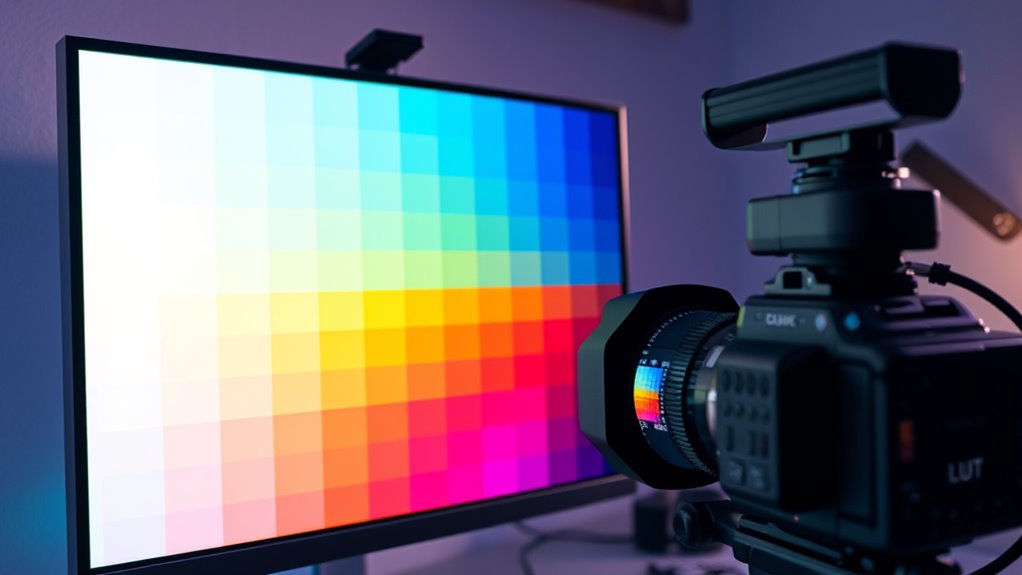
Ever wondered how filmmakers and photographers maintain consistent color grading across different projects and devices? The secret often lies in the use of LUT transfer tools, which automate the process of color matching, guaranteeing visual consistency from shot to shot and device to device. These tools are designed to analyze a source image or footage and apply a corresponding look-up table (LUT) to replicate that color palette across other clips or displays. This automation saves you time and minimizes the guesswork involved in manual color correction, making it easier to achieve a cohesive aesthetic throughout your work.
LUT transfer tools automate color matching, ensuring consistent, professional-grade color grading across all your projects and devices.
When you use automated LUT transfer tools, you’re leveraging advanced algorithms that interpret color data and translate it into precise adjustments. This process involves sampling key color points in your source footage and then mapping those points onto your target footage or device. As a result, you get consistent color grading without the need for painstaking manual adjustments. This consistency is essential, especially when working on large projects or multi-camera shoots, where slight variations in color can distract viewers and diminish the professional quality of your work. With these tools, you can quickly correct color discrepancies, ensuring that each shot matches the overall look you’re aiming for.
Moreover, LUT transfer tools are invaluable for maintaining visual consistency across different viewing platforms. Whether your project will be viewed on a high-end monitor, a TV, or a mobile device, these tools help standardize your color grading to guarantee your visuals look great everywhere. They often include features like device profiles and calibration options, which fine-tune the color output based on the display’s characteristics. This way, you can deliver a polished, accurate visual experience to your audience, regardless of the device they’re using. Additionally, understanding the color science behind these processes can help you make more informed adjustments and improve your overall workflow. Recognizing the importance of color accuracy can lead to more precise and reliable results in your projects.
The beauty of automated LUT transfer is that it democratizes professional-grade color grading. You don’t need to be a colorist or spend hours tweaking settings; instead, you feed in your source footage, select your target, and let the software do the heavy lifting. You get a quick preview of the results, and if needed, you can make minor adjustments for perfection. As AI security and bias mitigation continue to improve, these tools are becoming even more reliable and accessible. Incorporating knowledge of monitor calibration can further enhance the accuracy of your color matching process. Over time, this process helps you develop a consistent visual style that reinforces your brand or storytelling voice. In short, LUT transfer tools are essential for anyone serious about achieving high-quality, consistent color grading with efficiency. They streamline your workflow and help you produce visually cohesive content that captivates your audience.
Popular right now

De'Longhi Magnifica Duo Fully Automatic Espresso Machine with Milk Frother, Silver

Vitamix Nano Personal Blender with SmoothiePilot Technology, Black

Roborock Q7 M5+ Robot Vacuum and Mop with Self-Emptying Dock
As an affiliate, we earn on qualifying purchases.
Frequently Asked Questions
Can LUT Transfer Tools Handle High-Resolution Footage Effectively?
You’re wondering if LUT transfer tools can handle high-resolution footage effectively. These tools are designed to enhance color accuracy while maintaining processing speed, so you can work with detailed, high-quality footage without slowdowns. Generally, modern LUT transfer tools are optimized for high-resolution files, ensuring you get precise color matching quickly. Just make sure your hardware is up to date, and you’ll achieve seamless, accurate results even with demanding, high-res projects.
Are LUT Transfer Tools Compatible With All Editing Software?
You might wonder if LUT transfer tools work with all editing software. Compatibility depends on the software’s support for LUT formats and the user interface’s flexibility. Many tools are designed to integrate smoothly with popular editing programs, but some might require plugins or specific workflows. Always check the software compatibility and ease of use before choosing a LUT transfer tool, ensuring it matches your editing environment and user interface preferences.
How Do LUT Transfer Tools Impact Overall Workflow Efficiency?
Imagine juggling multiple tasks—automated LUT transfer tools streamline this by boosting your workflow efficiency. They guarantee color consistency across projects, saving you time on manual adjustments. While they enhance creative flexibility, they also reduce errors and rework. You’ll find your editing process smoother, faster, and more reliable, allowing you to focus on the creative aspects rather than technical fixes, ultimately elevating your production quality with less effort.
What Are Common Troubleshooting Issues With LUT Transfer Tools?
When troubleshooting LUT transfer tools, you might encounter issues affecting color accuracy and software integration. Check if the LUTs are correctly applied and compatible with your software version. Sometimes, color shifts happen due to improper calibration or corrupted files. Confirm your software supports the LUT format and update it if needed. Regularly verify the transfer process, and keep backups to prevent workflow disruptions caused by these common issues.
Do LUT Transfer Tools Support Custom Color Grading Profiles?
Ever wonder if LUT transfer tools can truly be your palette’s best friend? Yes, they often support custom color grading profiles, allowing you to fine-tune color accuracy and tailor profiles to your specific needs. This flexibility enables you to achieve consistent looks across projects while maintaining control over your artistic vision. With profile customization, you’re empowered to create unique styles, ensuring your visuals stand out with precision and personality.
Conclusion
With LUT transfer tools, you can effortlessly streamline your color matching process, turning what once felt like chasing shadows into a walk in the park. These tools act like a trusty compass, guiding you swiftly to perfect color harmony every time. Embrace automation, save time, and elevate your creative projects with confidence. Think of LUT transfer tools as your trusty paintbrush, painting your visuals with precision and flair—making every color match feel like a masterpiece in the making.