To avoid visible jump cuts, focus on maintaining consistent shot sizes, angles, and lighting throughout your scenes. Plan your shots carefully, using multiple takes, and incorporate movement or natural action to mask shifts. Editors can use techniques like cutaways, subtle fades, or aligning cuts with natural pauses in scenes. Mastering these approaches helps create seamless edits, making your videos look polished and professional—keep exploring these tips to learn how to make your edits truly invisible.
Key Takeaways
- Maintain consistent shot sizes, angles, and lighting to ensure seamless visual continuity between cuts.
- Plan scene flow and camera movements carefully before filming to prevent abrupt transitions.
- Use camera movements or action to naturally mask cuts and create smooth scene transitions.
- Incorporate cutaways, B-roll, or subtle transitions like fades to divert attention from jump cuts.
- Match framing, lighting, and pacing during editing to preserve the scene’s natural flow.
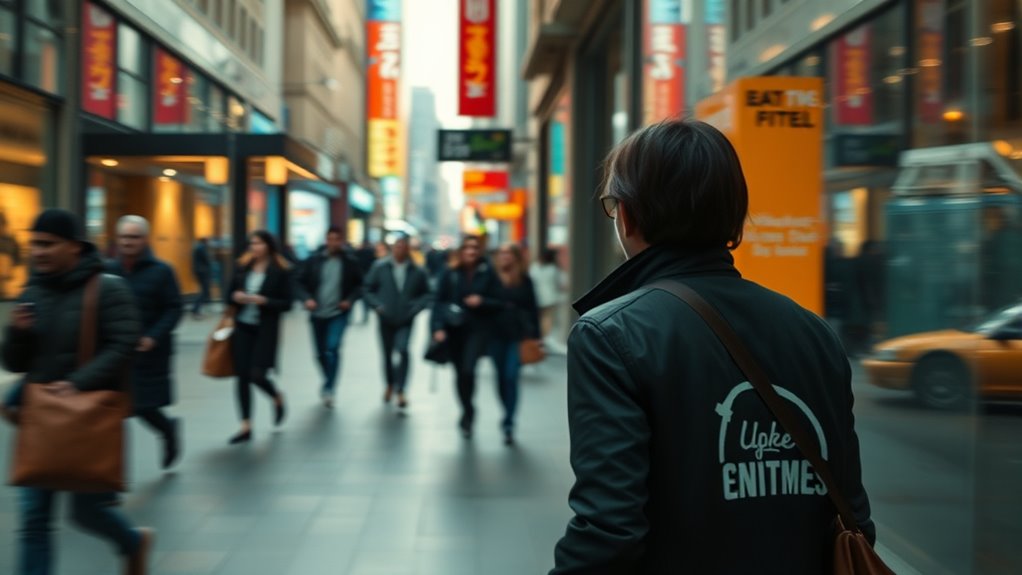
Jump cuts can disrupt the flow of your video and distract viewers, but you can avoid them with simple editing techniques and shot planning. Understanding the jump cut causes is essential to creating seamless transitions that keep your audience engaged. Typically, jump cuts happen when you cut between two shots that are too similar in composition or action, causing a jarring interruption. This is often due to inconsistent framing, abrupt changes in perspective, or editing without considering the overall flow. To prevent this, focus on maintaining consistent shot sizes and angles, which helps your edits blend smoothly. When your shots match in position and movement, your edits become less noticeable, making transitions feel natural rather than abrupt.
Consistent shot sizes and angles create seamless edits that keep viewers engaged and transitions natural.
One effective way to avoid jump cuts is by planning your shots carefully before filming. Think about how each scene will flow and what angles you’ll use. By shooting multiple takes from different perspectives, you create options that allow you to choose footage that aligns perfectly during editing. This proactive shot planning greatly reduces the risk of jump cut causes, ensuring each cut feels intentional and seamless. You can also incorporate movement or action in your shots to mask edits. For example, if you shift the camera slightly or include a movement during filming, it provides a natural cue to hide the transition, resulting in seamless transitions between clips. Additionally, understanding shot composition can help you craft scenes that naturally hide cuts and improve overall flow. Moreover, paying attention to lighting consistency can also make your edits less conspicuous by maintaining uniform brightness and shadows across shots.
During editing, you should pay close attention to the pacing and framing of your cuts. Using techniques like cutaways or inserting B-roll footage can break up the scene and divert attention from jump cuts. These additional shots help create a more polished, professional look by disguising the edit points. Incorporating continuity editing principles can further enhance seamlessness, ensuring that visual elements like position, props, and actor movements remain consistent across shots. Additionally, applying subtle transitions such as fades or wipes can smooth out the change from one shot to another, especially when continuity isn’t perfect. Furthermore, utilizing edit points effectively can help you align cuts precisely with natural pauses or changes in the scene, making them less noticeable. As part of a comprehensive approach, understanding exposure and how it can be matched across shots also contributes significantly to seamless editing. However, the goal remains to minimize visible edits altogether; the less viewers notice the cuts, the more seamless your video will feel.
Ultimately, avoiding jump cuts requires a combination of thoughtful shot planning, attentive filming, and strategic editing. When you understand the jump cut causes and how to create seamless transitions, you craft videos that flow naturally. This not only elevates the quality of your content but also enhances the viewer’s experience, keeping their attention on the story rather than the editing. With practice, you’ll develop an intuitive sense for shot composition and editing techniques that make your cuts invisible, resulting in a polished, professional final product.
professional video editing software
As an affiliate, we earn on qualifying purchases.
As an affiliate, we earn on qualifying purchases.
Frequently Asked Questions
What Are the Best Editing Software Options for Seamless Cuts?
When choosing editing software for seamless cuts, you want options that support advanced features like color grading and segue effects. Programs like Adobe Premiere Pro and DaVinci Resolve are excellent, offering precise cutting tools and smooth progressions. They also allow you to enhance your footage with color grading, making your edits look professional and natural. These tools help you create polished videos without noticeable jump cuts, ensuring your edits flow seamlessly.
How Can Lighting Changes Be Minimized During Filming?
To minimize lighting changes during filming, you should prioritize lighting consistency by using the same light sources, settings, and angles throughout your shoot. Keep your color matching precise by using consistent gels or filters and adjusting your camera white balance accordingly. This way, your footage maintains a uniform look, reducing noticeable shifts in lighting and color, and making your edits smoother and more seamless even before editing.
What Role Does Camera Movement Play in Avoiding Jump Cuts?
Camera movement plays a vital role in avoiding jump cuts by maintaining visual continuity. When you use camera pans or tracking shots smoothly, it guides the viewer’s eye seamlessly from one shot to the next. This fluid motion helps hide abrupt transitions, making edits less noticeable. By planning your camera movements carefully, you create a cohesive flow that keeps the audience engaged without drawing attention to the edits.
Are There Specific Shot Types That Help Hide Editing Transitions?
They say a picture is worth a thousand words, and choosing the right shot type can hide edits seamlessly. You should use match on action shots to create smooth progressions, as they maintain continuity. Cutaway shots are also effective, allowing you to obscure cuts by shifting focus. Incorporating these techniques helps make edits invisible, ensuring your storytelling flows naturally without distracting jump cuts.
How Can Audio Continuity Improve the Perception of Seamless Edits?
To improve the perception of seamless edits, focus on audio continuity through effective audio layering and sound design. You can hide cuts by aligning ambient sounds, dialogue, and music across shots, creating a smooth auditory flow. Pay attention to consistent background noise and subtle sound cues that bridge passages. By carefully crafting your audio, you make the edit less noticeable, helping viewers stay immersed without distraction from the cut.
As an affiliate, we earn on qualifying purchases.
Conclusion
Just like a skilled painter blends colors seamlessly, mastering invisible edit techniques guarantees your videos flow naturally, engaging your audience from start to finish. By avoiding jump cuts, you create a smooth storytelling rhythm, much like a well-composed symphony. Remember, every seamless shift is a brushstroke in your cinematic masterpiece, turning ordinary footage into extraordinary storytelling. Keep practicing these techniques, and soon your editing will be as effortless as a whisper, leaving viewers immersed and enthusiastic for more.
As an affiliate, we earn on qualifying purchases.
As an affiliate, we earn on qualifying purchases.