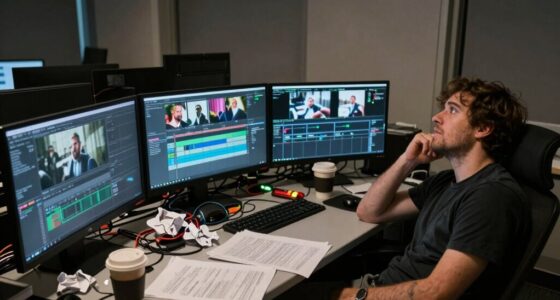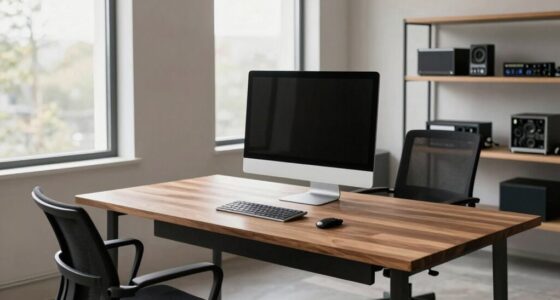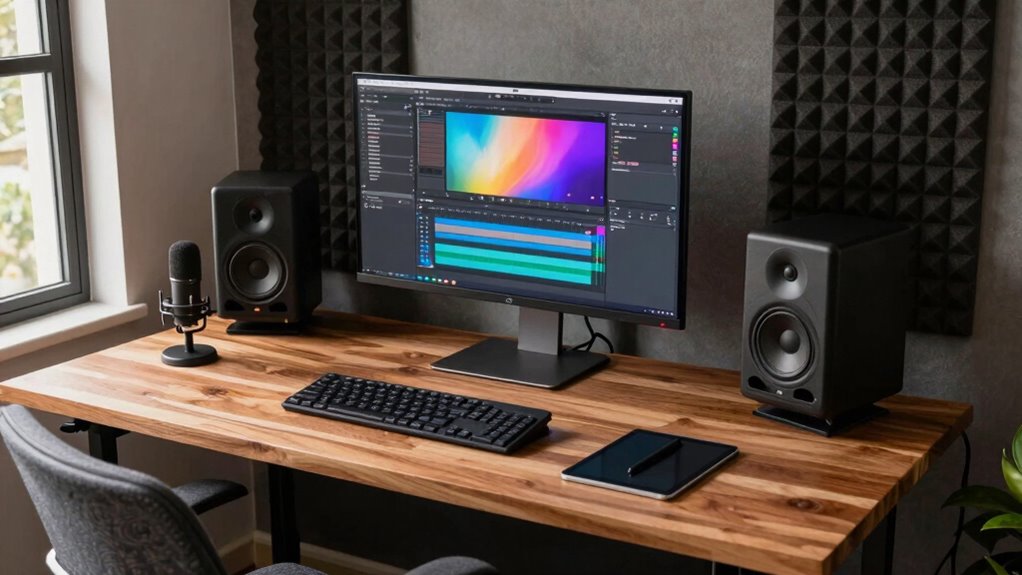

Building a home editing suite is a smart investment that can save you money on rentals and improve your content quality. Upfront costs include equipment, soundproofing, and furniture, but long-term benefits like increased productivity and income potential make it worthwhile. Ongoing expenses like software subscriptions and upgrades are manageable with proper budgeting. A dedicated space boosts focus, professionalism, and creativity. Keep exploring—there’s more to discover about making the most of your setup.
Key Takeaways
- Initial investment costs include equipment, soundproofing, and furniture, balanced against long-term productivity and income gains.
- Ongoing expenses such as software subscriptions and hardware upgrades require careful budgeting for sustainability.
- A dedicated workspace streamlines workflow, enhances professionalism, and boosts content quality and credibility.
- Prioritizing essential, scalable equipment optimizes spending and allows gradual upgrades aligned with growth.
- Regular evaluation and disciplined spending ensure the suite remains cost-effective and supports long-term creator success.

Creating a dedicated editing suite at home can be a smart investment if you understand the costs and benefits involved. Before you dive into building your space, it’s essential to conduct a thorough cost benefit analysis. This means weighing the upfront costs—such as purchasing high-quality equipment, soundproofing, and furniture—against the long-term advantages like increased productivity, better content quality, and potential income growth. By doing this, you can determine whether the investment aligns with your goals and financial situation.
Assess costs and benefits carefully to create a productive, high-quality home editing space that supports your growth.
When considering your investment strategies, think about how much time you’ll save with a dedicated space. Eliminating the need to set up and break down gear for each project can accelerate your workflow significantly. Plus, having a professional environment helps you stay focused and creative, which is crucial for producing high-quality content consistently. If you’re freelancing or monetizing your videos, a dedicated suite can also boost your credibility with clients and brands, potentially leading to more lucrative opportunities.
The costs aren’t just about initial expenses. You should also factor in ongoing costs like software subscriptions, hardware upgrades, and maintenance. These expenses can add up over time, so it’s wise to budget accordingly. On the flip side, consider the savings you might realize from not needing to rent studio space or work in noisy, distracting environments. Your home setup can be tailored precisely to your needs, which means fewer compromises and more control over your creative process. Understanding audio and visual quality—such as projector contrast ratios and color accuracy—can help you optimize your editing environment, ensuring your visuals are true to life and of high quality. Incorporating proper soundproofing techniques can further enhance your workspace by minimizing external noise and improving acoustics.
A key part of your investment strategy should involve prioritizing essential equipment that delivers the best value. For example, investing in a good microphone and reliable editing software can dramatically improve your output without breaking the bank. It’s tempting to upgrade continuously, but a strategic approach helps you avoid unnecessary spending. Instead, focus on scalable solutions—start with core essentials and upgrade as your content and income grow.
Additionally, understanding digital content formats can help you choose the right tools and settings for your projects, improving overall efficiency. Developing a grasp of media literacy can also empower you to make better decisions about content quality and authenticity, which is increasingly important in today’s digital landscape. Finally, building a home editing suite is not just a financial decision but a long-term commitment to your craft. If you carefully analyze costs versus benefits and adopt smart investment strategies, you’ll find that creating a dedicated workspace can pay off. It can enhance your productivity, improve your content quality, and ultimately, contribute to your success as a creator. Just remember to stay disciplined with your spending and continuously evaluate whether your setup still meets your evolving needs.
As an affiliate, we earn on qualifying purchases.
Frequently Asked Questions
How Do I Choose the Right Editing Software for My Needs?
To choose the right editing software, first consider software compatibility with your device and operating system to guarantee smooth performance. Next, evaluate the user interface—look for one that’s intuitive and easy to learn, so you can work efficiently. Try free trials or demos to test how well the software meets your needs. Balancing compatibility and a user-friendly interface helps you find the perfect editing tool for your projects.
What Are the Best Space-Saving Equipment Options?
For space-saving equipment, opt for compact studio lighting that offers adjustable positions to maximize your limited area. Choose ergonomic furniture like foldable desks and stackable chairs to keep your workspace organized and comfortable. Multi-purpose gear helps save space without sacrificing quality. With smart choices, you can create an efficient, comfortable editing suite that fits neatly into your home, making your workflow smooth and your space uncluttered.
How Can I Ensure Proper Soundproofing at Home?
You can guarantee proper soundproofing by applying effective soundproofing techniques like sealing gaps with acoustic sealant and installing soundproof doors and windows. Incorporate acoustic treatment such as foam panels, bass traps, and diffusers to absorb sound reflections and reduce echo. Combining these methods creates a more controlled environment, preventing noise from escaping and external sounds from entering, ultimately giving you a professional-quality creator editing suite at home.
What Are the Hidden Costs of Building a Suite?
Hidden costs often sneak in through overlooked areas like soundproofing, electrical upgrades, and acoustic treatments. You need to focus on smart investment planning and scalability strategies to guarantee surprises. While initial setup might seem manageable, expanding your suite later could require additional wiring or equipment. Budget for these potential expenses upfront to assure your home studio remains functional and adaptable without draining your finances later on.
How Do I Upgrade My Setup Over Time Cost-Effectively?
To upgrade your setup cost-effectively, prioritize hardware upgrades that boost performance without breaking the bank, like adding more RAM or switching to SSDs. Keep an eye out for software license discounts or bundles to save money on essential tools. Plan upgrades gradually, focusing on areas that impact your workflow most. This approach allows you to enhance your editing suite over time without overspending upfront.
As an affiliate, we earn on qualifying purchases.
Conclusion
Building a home creator editing suite can be cost-effective if you carefully weigh initial investments against long-term gains. While some argue that the upfront expenses are high, others point out that owning your space boosts productivity and creative control. Remarkably, studies suggest that dedicated work environments enhance focus, challenging the idea that remote setups are less efficient. Ultimately, with strategic planning, investing in your own editing suite can pay off both financially and creatively over time.
professional microphone for content creation
As an affiliate, we earn on qualifying purchases.
As an affiliate, we earn on qualifying purchases.
As an affiliate, we earn on qualifying purchases.