
Your studio furniture and desk layout considerably impact your editing output by shaping your workflow, comfort, and listening environment. Properly arranged furniture, with speakers at ear level and essential tools within reach, improves focus and reduces distractions. An ergonomic setup minimizes fatigue, while an organized space prevents mental clutter. Good layout also enhances sound isolation and acoustic treatment, making your edits clearer and more precise. Keep exploring to discover how optimizing your workspace can elevate your audio quality.
Key Takeaways
- Proper furniture placement enhances sound isolation, reducing external noise and echo, leading to clearer audio edits.
- Ergonomic desk and chair setups prevent fatigue, maintaining focus and precision during long editing sessions.
- Organized layouts streamline workflow, allowing quick access to tools and minimizing disruptions.
- Correct speaker positioning at ear level ensures accurate sound perception and balanced editing.
- Dedicated zones and thoughtful furniture arrangement reduce mental clutter, improving overall editing accuracy and productivity.
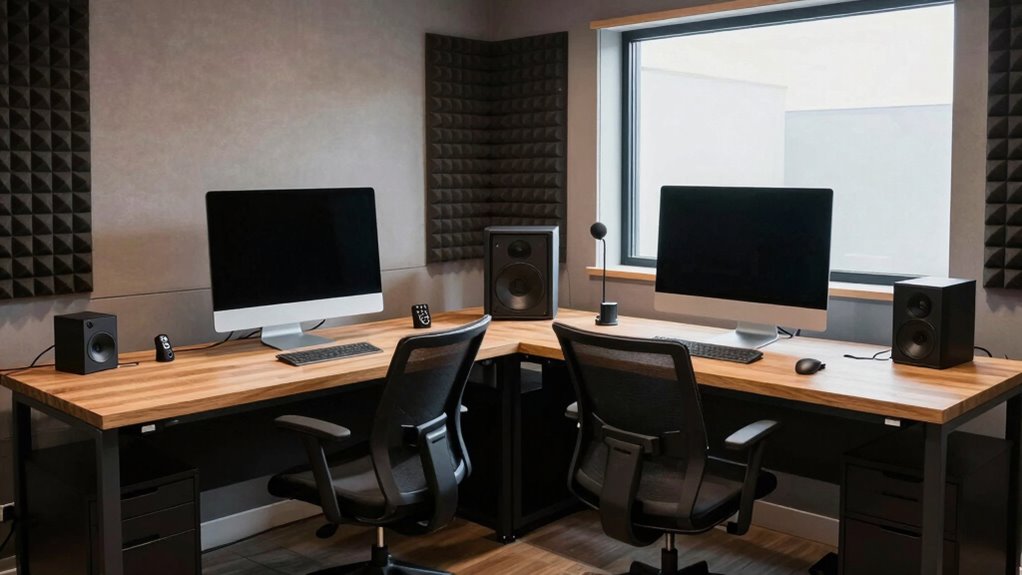
Your studio’s furniture and desk layout directly influence your editing efficiency and output quality. When setting up your workspace, paying attention to acoustic treatment is essential. Proper acoustic treatment helps reduce unwanted sound reflections and echoes, creating a more accurate listening environment. Without it, you might find yourself misjudging audio levels or struggling to hear subtle details, which can compromise your editing precision. Selecting furniture that absorbs or diffuses sound can make a significant difference, allowing you to focus on your work without distraction. Foam panels, bass traps, and acoustic diffusers strategically placed around your studio can transform a chaotic, echo-prone room into a controlled acoustic space. This setup guarantees you’re hearing your audio as it truly is, leading to cleaner edits and more professional results. Additionally, considering the studio furniture and desk layout can optimize your workflow and enhance your overall editing experience. Thoughtful placement of your equipment can also improve sound isolation and reduce external noise interference, further sharpening your editing environment. Proper organization and placement of your gear can also prevent clutter, which might otherwise hinder your efficiency. Alongside acoustic considerations, ergonomic design plays a key role in maintaining your productivity and comfort during long editing sessions. An ergonomic setup prevents fatigue and minimizes the risk of repetitive strain injuries, allowing you to work more efficiently over extended periods. Adjustable desks and chairs enable you to customize your workspace to your body’s needs, promoting good posture and reducing neck, back, and wrist strain. When your furniture supports ergonomic principles, you’re less likely to experience discomfort that distracts you from your creative process. Keep your monitor at eye level, your keyboard within easy reach, and your chair supportive enough to maintain proper spinal alignment. These adjustments make it easier to stay focused and maintain consistency in your work. Your desk’s layout also impacts your workflow. Positioning your equipment thoughtfully ensures that everything you need is within arm’s reach, reducing unnecessary movement and interruptions. For example, place your speakers at ear level and equidistant from your listening position to achieve balanced sound. Keep your essential tools, like your audio interface, external drives, and headphones, organized and accessible. This streamlined setup minimizes disruptions, helping you stay immersed in your editing. An organized workspace with effective furniture arrangement can also reduce mental clutter, boosting your focus and efficiency. When your furniture and layout support both acoustic treatment and ergonomic design, your environment becomes an extension of your creative process, not a hindrance. The correct workspace arrangement can also boost your productivity by reducing physical strain and mental clutter. Creating a dedicated editing zone within your studio can further enhance your focus and workflow. The result is a workspace that promotes clarity, comfort, and precision, ultimately elevating the quality of your editing output.
As an affiliate, we earn on qualifying purchases.
Frequently Asked Questions
How Can I Optimize My Studio Layout for Different Editing Tasks?
To enhance your studio layout for different editing tasks, prioritize soundproofing techniques and acoustic treatment to reduce noise and improve audio clarity. Arrange your furniture to create dedicated zones for editing, mixing, and listening, ensuring each has appropriate acoustic conditions. Use adjustable furniture to adapt your space as needed, and position monitors carefully for ideal sound. This setup boosts productivity and ensures high-quality editing output across all tasks.
What Materials Are Best for Creating Functional Studio Furniture?
Ever wondered what materials make functional studio furniture last? You should prioritize materials selection that offers durability factors like sturdy wood, metal, or high-quality laminates. These choices guarantee your furniture withstands daily use and heavy equipment. Consider eco-friendly options too, if sustainability matters to you. The right materials provide stability, longevity, and a professional look, making your studio a productive space that adapts to your editing needs.
How Does Lighting in the Studio Impact Editing Efficiency?
Lighting directly impacts your editing efficiency by affecting color accuracy and reducing eye strain. When you use proper ambient illumination and set the right color temperature, your screen’s colors appear more true-to-life, helping you make precise adjustments. Avoid harsh or uneven lighting, as it can cause glare and fatigue. *Maximizing* your studio lighting with balanced ambient light ensures you stay focused, work comfortably, and deliver high-quality edits efficiently.
Can Furniture Placement Reduce Editing Fatigue?
Yes, furniture placement can minimize editing fatigue. When you arrange your furniture thoughtfully, you create an ergonomic workspace that reduces strain and unnecessary movement. Proper furniture arrangement guarantees your monitor, keyboard, and chair are positioned for comfort, reducing physical stress over long editing sessions. This fatigue reduction helps you stay focused, work longer without discomfort, and maintain productivity, ultimately leading to better editing output.
What Ergonomic Considerations Are Essential for Studio Desk Design?
To guarantee ergonomic posture, prioritize a desk with adjustable features like height and tilt, allowing you to customize your workspace. Use an adjustable chair that supports your lower back, keeps your feet flat on the floor, and maintains your knees at a 90-degree angle. Keep your monitor at eye level to prevent neck strain. These considerations help you stay comfortable, reduce fatigue, and improve your editing efficiency over long sessions.
As an affiliate, we earn on qualifying purchases.
Conclusion
Your studio furniture and desk layout are the secret ingredients to unlocking your editing genius. When your workspace is thoughtfully arranged, it’s like turning on a supercharger for your creativity—everything flows effortlessly, and your productivity skyrockets. A cluttered, poorly designed space can hold you back like an anchor weighing you down. So, optimize your environment, and watch your editing output reach heights so incredible, they’ll seem almost surreal. Your perfect workspace is the key to unstoppable success!
acoustic foam panels for recording studio
As an affiliate, we earn on qualifying purchases.
As an affiliate, we earn on qualifying purchases.
As an affiliate, we earn on qualifying purchases.