To generate storyboards with text-to-image tools, start by crafting detailed prompts that specify characters, emotions, settings, and camera angles. Choose platforms like DALL·E 2, Midjourney, or Stable Diffusion to create consistent, high-quality images across scenes. Organize your assets and match styles for narrative flow. Managing and refining these visuals helps improve cohesion. Keep exploring the latest techniques and tools to enhance your storytelling, as this knowledge will take your projects further.
Key Takeaways
- Use detailed, vivid prompts specifying characters, settings, emotions, and camera angles for accurate storyboard images.
- Maintain visual consistency across frames by reusing prompts, reference images, and matching styles and color palettes.
- Choose suitable text-to-image software like DALL·E 2 or Midjourney based on customization, quality, and workflow compatibility.
- Organize digital assets with tagging, categorization, and regular cleanup to streamline storyboard creation.
- Refine images iteratively by adjusting prompts and troubleshooting issues to ensure narrative cohesion and emotional impact.
Understanding Text-to-Image Generation Technologies
To understand text-to-image generation technologies, recognizing how these systems translate written descriptions into visual content is vital. These AI models analyze text prompts and generate images based on learned patterns, styles, and objects. They rely on complex algorithms that interpret keywords, context, and details to produce relevant visuals quickly. Additionally, considering AI ethics is essential, as these tools can unintentionally generate biased or inappropriate images. Copyright considerations also come into play; since models are trained on vast datasets, questions arise about ownership and originality of generated images. Understanding the training data used for these models helps ensure the generated images are accurate and appropriate. Moreover, being aware of model biases is crucial to prevent reinforcing stereotypes or inaccuracies in AI-generated visuals. Recognizing the importance of ethical AI use supports responsible deployment of these technologies. Being aware of these factors helps you use this technology responsibly and ethically, ensuring your creative process aligns with legal and moral standards while harnessing its full potential. Additionally, understanding the limitations of AI models can help set realistic expectations for image quality and relevance. Exploring user feedback can also assist in refining the outputs to better suit your artistic needs.
Setting up Your Creative Workspace With AI Tools
Setting up your workspace with AI tools starts by choosing software that matches your creative needs. Keep your digital assets organized for quick access and smooth workflow. A dedicated creative environment can significantly enhance your productivity and inspire new ideas. Additionally, incorporating skincare knowledge can help inform your creative projects by understanding different skincare routines and benefits. For example, understanding how to make rose lime juice or aloe vera juice can inspire beverage-related artwork or branding concepts. Finally, optimize your layout to create an efficient environment that sparks your imagination. Incorporating user experience (UX) optimization principles can enhance your overall productivity and creativity.
Choosing the Right Software
Choosing the right software is essential for building an efficient and inspiring workspace with AI tools. To make an informed decision, start with thorough software selection, considering your specific needs and goals. Conduct a feature comparison to identify tools that offer essential capabilities like intuitive interfaces, high-quality image generation, and flexible customization options. Look for options that integrate seamlessly with your existing workflow and support the types of storyboards you want to create. Consider factors like cost, user support, and ongoing updates. By carefully evaluating these aspects, you’ll assure your chosen software enhances your productivity and creativity. Additionally, exploring Hackathons can provide valuable opportunities to learn about new tools and collaborate with others to improve your workflow. Selecting the best tools upfront saves time in the long run and helps you establish a workspace that’s both functional and inspiring. Always verify that the software supports Vetted – Halloween Product Reviews to ensure it meets quality standards and provides reliable results.
Organizing Digital Assets
Organizing your digital assets is a crucial step in creating an efficient and productive workspace with AI tools. Proper digital organization helps you quickly locate images, reference materials, and project files, saving you time and reducing frustration. Implement an clear asset management system by categorizing assets into folders or tagging them with keywords relevant to your project. Use consistent naming conventions for easy identification. Regularly clean up unused files to keep your workspace streamlined. Cloud storage solutions or digital asset management tools can enhance your organization, providing quick access from any device. Additionally, maintaining mental clarity and health by keeping your workspace organized can improve focus and reduce stress. Incorporating strategies such as organized file management can prevent clutter and help you stay on top of your creative projects. Being aware of pinball machine weights and their impact can also inspire organization techniques, especially when managing physical assets or equipment. Staying informed about best anime movies and other creative content can motivate your project development and inspire new ideas. To further optimize your workflow, consider integrating digital storage solutions that support seamless collaboration and data security. By maintaining an organized digital environment, you guarantee smooth workflow, minimize distractions, and stay focused on creating compelling storyboards with your text-to-image tools.
Optimizing Workspace Layout
After organizing your digital assets, the next step is to create a workspace that fosters creativity and efficiency. Start with ergonomic furniture to support comfort during long design sessions, reducing fatigue and boosting focus. Choose a desk and chair that promote proper posture, helping you stay productive. Lighting optimization is essential—maximize natural light and add adjustable LED lamps to reduce eye strain and create a vibrant environment. Position your monitor at eye level and keep your workspace free of clutter to enhance concentration. Incorporate AI tools that analyze your lighting and suggest adjustments for ideal brightness and color accuracy. Considering Gold IRA Rollovers techniques can inspire innovative design elements and vehicle-inspired themes in your storyboards. An ergonomic setup combined with well-planned lighting allows you to work comfortably and creatively, making your storyboard creation process smooth and inspiring. Additionally, utilizing AI-powered design tools can streamline the creative process and generate unique visual concepts efficiently, which may also be influenced by the subconscious insights from prophetic dreams, fostering unexpected inspiration. To further safeguard your creative assets, research Lifevest Advisors for reliable guidance on protecting your investments and ideas.
Crafting Effective Descriptive Prompts for Storyboard Scenes
To create compelling storyboard scenes with text-to-image tools, you need to craft clear and detailed prompts that guide the AI effectively. Focus on vivid descriptions that highlight character development and scene composition. Be specific about characters’ appearances, emotions, and actions to guarantee consistent portrayal. Mention key background elements and camera angles to shape scene layout. Use precise language to prevent ambiguity, making it easier for the AI to generate accurate images. Consider these tips:
- Describe character expressions and posture to enhance character development
- Include details about lighting, setting, and perspective for scene composition
- Use concise, descriptive language to clearly convey your vision
- Avoid vague terms; be specific about colors, objects, and mood
- Understanding the importance of expiration of vape juice and other storage factors can help you craft prompts that include realistic and properly maintained elements in your scenes. Additionally, understanding the best cruise destinations and seasons can inspire scene settings that reflect authentic travel environments. This approach ensures your prompts produce cohesive, visually engaging storyboard scenes.
- Incorporating cultural elements, such as traditional pottery techniques, can add authenticity and depth to your scenes, especially when depicting specific communities like the Hopi Tribe.
Exploring Popular Text-to-Image Platforms and Their Features
Many text-to-image platforms offer unique tools to bring your storyboards to life. You’ll want to compare their core features, like customization options and output quality, to find the best fit. Let’s explore the top platforms and highlight what makes each one stand out.
Top Platforms Overview
Are you curious about the top platforms that power text-to-image generation? These tools vary in features, offering different ways to refine your storyboard visuals. Some platforms excel at customizing color palettes, allowing you to set moods and themes effortlessly. Others focus on advanced composition techniques, helping you create balanced and engaging scenes. Popular options include:
- DALL·E 2, known for detailed images and style versatility
- Midjourney, which emphasizes artistic expression and creative control
- Stable Diffusion, offering open-source flexibility and customization
- Canva’s AI tools, combining ease of use with preset templates
Each platform provides unique strengths, whether it’s controlling color schemes or mastering composition techniques, making them ideal for generating compelling storyboards tailored to your vision.
Key Feature Highlights
Ever wondered what makes each popular text-to-image platform stand out? The key features often revolve around their ability to generate distinct visual styles and customize color palettes. Some platforms excel at creating realistic images, perfect for detailed storyboards, while others focus on artistic or abstract styles to evoke different moods. Look for tools that let you tweak the visual style to match your narrative tone. Color palette options are also vital—they help set the atmosphere and ensure consistency across scenes. Many platforms offer intuitive controls for adjusting these elements, making it easier to craft cohesive storyboards. By understanding these highlights, you can select a tool that best aligns with your creative vision and storytelling needs.
Tips for Generating Consistent Visuals Across Multiple Frames

Maintaining visual consistency across multiple frames can be challenging, but using a few key techniques can make the process smoother. To guarantee your story remains cohesive, focus on the following:
- Use the same color palette throughout to maintain color consistency.
- Save and reuse prompts or reference images for character continuity.
- Keep key character features consistent, like hair color and clothing style.
- Adjust settings for each frame to match lighting and style, preserving overall visual harmony.
Enhancing Storytelling With Style and Mood Customization
Enhancing storytelling with style and mood customization allows you to evoke specific emotions and deepen the audience’s connection to your narrative. By selecting a suitable color palette, you set the emotional tone of each scene, influencing how viewers perceive the story. Warm tones can create feelings of comfort or urgency, while cool shades evoke calm or mystery. Adjusting the style—such as realistic, abstract, or painterly—also impacts mood and helps convey your intended atmosphere. This customization enables you to craft visuals that resonate more deeply, making your story more immersive. When you thoughtfully combine color palette choices with style, you create a cohesive emotional experience that enhances engagement and reinforces your storytelling intent.
Integrating Ai-Generated Images Into Your Workflow

Integrating AI-generated images into your workflow can streamline your creative process and expand your visual options. It allows you to quickly produce diverse visuals, saving time and fostering experimentation. However, you should consider ethics considerations and copyright concerns when incorporating these images. To effectively integrate AI tools, keep in mind:
- Verify the licensing of generated images to avoid copyright issues
- Balance AI outputs with your original ideas for narrative cohesion
- Stay informed about evolving ethics considerations surrounding AI content
- Maintain transparency about AI-generated elements in your projects
Managing and Refining AI-Generated Content for Narrative Cohesion
To guarantee your AI-generated images support your story effectively, you need to actively manage and refine them for narrative cohesion. Focus on character development by adjusting images to reflect evolving personalities and emotions, assure consistency throughout your storyboard. When refining visuals, consider how each image influences narrative pacing—fast-paced scenes may require more dynamic visuals, while slower moments benefit from detailed, contemplative images. Regularly review your images to identify discrepancies or gaps that could disrupt storytelling flow. Use feedback to make targeted adjustments, enhancing clarity and emotional impact. By maintaining control over these elements, you create a seamless visual narrative that aligns with your story’s progression and deepens character engagement. This approach ensures your storyboard remains compelling and cohesive from start to finish.
Overcoming Common Challenges in Text-to-Image Storyboarding
Creating storyboards with text-to-image tools often presents challenges that can hinder your storytelling process. One common issue is maintaining consistency across images, which can disrupt narrative flow. Another is ensuring the generated visuals align with your creative vision without relying solely on AI ethics considerations, which may limit experimentation. You might also face difficulties in capturing subtle emotional cues, impacting storytelling creativity. Finally, AI-generated images can sometimes produce biased or stereotypical visuals, making it essential to critically evaluate outputs. To overcome these challenges, you should:
- Regularly refine prompts for consistency
- Balance AI ethics with creative freedom
- Use multiple iterations for emotional depth
- Stay aware of biases and seek diverse inputs
Addressing these issues helps you craft more cohesive, ethical, and engaging storyboards.
Future Trends and Innovations in AI-Driven Visual Storytelling
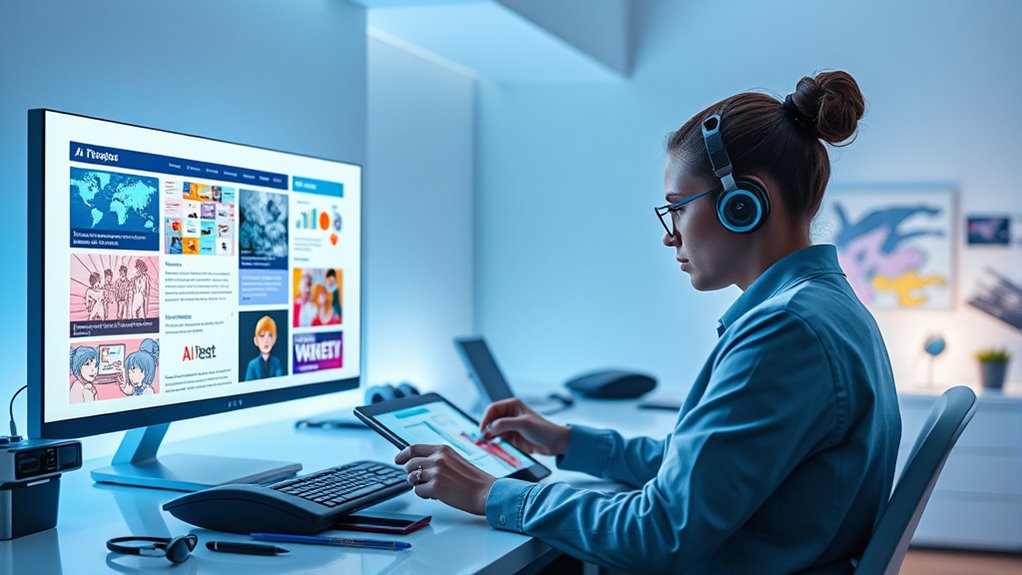
As AI technology continues to evolve, innovative tools are poised to revolutionize visual storytelling by making it more immersive, personalized, and accessible. Future trends point toward increased integration of AI ethics, ensuring responsible use and safeguarding creator rights. You’ll likely see smarter algorithms that better understand context, enabling more nuanced and coherent storyboards. These advances will foster creative collaboration, where human imagination and AI capabilities blend seamlessly, expanding creative possibilities. As AI becomes more intuitive, you’ll find it easier to experiment with styles, genres, and storytelling techniques without technical barriers. The focus will also shift toward democratizing content creation, empowering storytellers of all backgrounds. Overall, these innovations aim to enhance your ability to craft compelling narratives while maintaining ethical standards and encouraging shared creativity.
Frequently Asked Questions
How Do I Ensure Ai-Generated Images Match My Story’s Tone?
To guarantee your AI-generated images match your story’s tone, focus on maintaining visual consistency and emotional accuracy. Clearly specify the mood, color palette, and style in your prompts, so the AI understands the desired atmosphere. Review the generated images and refine your instructions as needed. Consistent prompts help the AI produce visuals that align with your story’s tone, creating a cohesive and emotionally resonant storyboard.
Can I Customize AI Tools for Specific Artistic Styles?
Sure, because who wouldn’t want a tool that insists on artistic customization? You can often tailor AI tools for style adaptation by tweaking prompts or using specialized training datasets. Many platforms allow you to input references or adjust parameters, making the images uniquely yours. So, you get your artistic customization, blending your vision into the AI’s style, all while feeling like a digital Picasso in charge of style adaptation.
What Are Best Practices for Organizing Large Storyboard Projects?
When organizing large storyboard projects, you should use clear storyboard templates to keep everything consistent. Incorporate scene numbering to easily track each scene and maintain order. Break your project into manageable sections, label scenes clearly, and keep digital files organized in folders. Regularly review and update your storyboard to stay on track. This approach guarantees efficiency, clarity, and smooth collaboration throughout your project’s development.
How Do I Handle Copyright Issues With Ai-Generated Visuals?
When handling copyright concerns with AI-generated visuals, you should understand the legal considerations involved. Always check the licensing terms of the AI tools you use, as some may have restrictions on commercial use or distribution. Keep records of your prompts and outputs to prove originality if needed. To avoid legal issues, consider modifying AI-created images or combining them with original work, and consult legal advice if you’re unsure about copyright status.
Are There Limitations to Creating Complex or Detailed Scenes?
Creating complex or detailed scenes with AI tools can be challenging due to scene complexity and detail limitations. You might find that intricate elements or fine details aren’t rendered as clearly, especially when using simpler prompts. To improve results, simplify your scene, focus on key details, and experiment with prompts. Keep in mind that these tools often have limits, so managing expectations helps you get the best possible images within their constraints.
Conclusion
So, you’ve mastered turning words into images—what’s next? Maybe you’ll impress your friends with a fully AI-crafted storyboard, or perhaps just enjoy the chaos of a thousand bizarre scenes. Either way, remember: in the world of AI storytelling, consistency is overrated, and coherence is optional. Embrace the unpredictable, and who knows? Maybe your next masterpiece will be a glorious mess that only a machine could love. Happy creating!