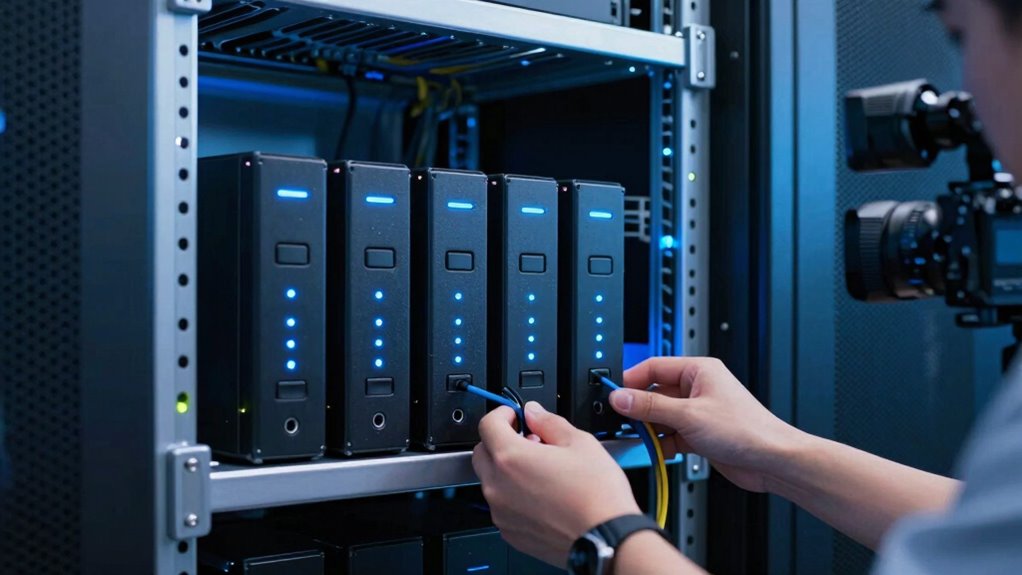

NAS systems are quickly becoming standard for video teams because they give you scalable, high-performance storage that’s easy to access and share. You can collaborate remotely with cloud integration and keep files synchronized across devices, saving time and streamlining workflows. Their strong security features protect your sensitive content, while flexible expansion options grow with your projects. Continue exploring to discover how NAS can boost your team’s productivity and keep your creative process smooth.
Key Takeaways
- NAS provides centralized, scalable storage essential for managing large video files efficiently.
- Seamless cloud integration enables remote collaboration and instant file synchronization across teams.
- Advanced security features protect sensitive content from unauthorized access and cyber threats.
- Easy expansion options support growing storage needs without replacing existing infrastructure.
- High-performance network interfaces ensure quick data transfer, boosting productivity and workflow speed.

For video teams handling large files and demanding workflows, NAS (Network-Attached Storage) systems offer a reliable and scalable solution. As your projects grow, managing storage becomes increasingly complex, and NAS provides a centralized hub where all team members can access, edit, and share footage seamlessly. One of the key advantages of modern NAS setups is their ability to integrate with cloud services. This cloud integration allows you to synchronize files across multiple platforms effortlessly, making remote collaboration smoother and more efficient. Instead of juggling separate storage solutions, you can keep your entire workflow connected, with updates reflected instantly across devices and locations.
NAS systems centralize storage and enable seamless remote collaboration through cloud integration.
Security is another vital concern for video teams, especially when handling sensitive content and large datasets. NAS systems come equipped with robust security protocols designed to protect your valuable footage from unauthorized access or data breaches. Many NAS devices support encryption, multi-factor authentication, and detailed user permissions, ensuring that only authorized personnel can view or modify files. You can also set up automated backups and snapshots, so if accidental deletion or hardware failure occurs, you can restore your data quickly without losing progress. This layered security approach gives you peace of mind, knowing your assets are safeguarded against threats. Additionally, modern NAS systems support advanced security features that help prevent cyberattacks and ensure data integrity.
The scalability of NAS systems is a major reason why they’re becoming standard in the industry. As your project demands increase, you can easily expand storage capacity without overhauling your entire infrastructure. Many NAS units support adding drives or upgrading existing ones, providing flexibility to adapt to evolving needs. This scalability means you won’t have to invest in entirely new systems every time your storage requirements grow, saving you both time and money. A scalable storage solution is essential for keeping pace with your project’s growth.
Furthermore, NAS systems are designed to deliver high performance, essential for video editing and production tasks. With fast network interfaces, such as 10GbE or higher, your team can transfer large files swiftly, reducing downtime and enabling quicker review cycles. The combination of cloud integration, strong security protocols, and high performance makes NAS an indispensable tool for modern video teams. It consolidates storage, enhances collaboration, and ensures your data remains protected, all while supporting your team’s growth and productivity. As workflows become more complex, embracing NAS means you’re investing in a future-proof solution that keeps your projects running smoothly from start to finish.
High-performance NAS for video editing
As an affiliate, we earn on qualifying purchases.
As an affiliate, we earn on qualifying purchases.
Frequently Asked Questions
How Secure Are NAS Systems Against Cyber Threats?
NAS systems are fairly secure against cyber threats when you prioritize cyber resilience and data encryption. You can enhance security by regularly updating firmware, using strong, unique passwords, and enabling encryption for stored data. Implementing multi-factor authentication and network firewalls further protects your files. While no system is entirely immune, these steps help you minimize risks and keep your valuable video data safe from cyber attacks.
Can NAS Systems Integrate With Existing Editing Software?
Did you know 78% of video teams say seamless integration boosts productivity? Yes, NAS systems can easily integrate with your existing editing software. They often feature cloud integration, allowing you to access files remotely, and have user-friendly interfaces that make collaboration simple. This compatibility means you won’t need to overhaul your workflow, just enhance it, making your editing process more efficient and flexible.
What Is the Typical Setup Time for a NAS System?
Setting up a NAS system typically takes between a few hours to a day, depending on your setup customization and the network complexity. You’ll start by connecting hardware, configuring user access, and optimizing performance settings. To guarantee smooth performance, focus on performance optimization during installation. Customizing storage options and security settings can extend setup time but ultimately make your system more tailored to your video team’s needs.
Are NAS Systems Suitable for Remote Collaboration?
Yes, NAS systems are suitable for remote collaboration. They offer remote accessibility, allowing you and your team to access files from anywhere with an internet connection. This fosters user collaboration, as multiple team members can work on projects simultaneously without being tied to a physical location. NAS systems also enable secure sharing and efficient file management, making them an excellent choice for remote video teams seeking seamless collaboration.
How Do NAS Systems Handle Large File Transfers Efficiently?
You might think NAS systems struggle with large file transfers, but they actually excel when optimized. They handle file transfer efficiently by utilizing bandwidth optimization techniques like link aggregation and caching, which maximize data flow. These methods reduce transfer times, ensuring smooth, rapid movement of huge video files. So, with proper setup, NAS systems can meet the demanding needs of video teams, making large file transfers quick and reliable.
NAS with cloud integration for remote collaboration
As an affiliate, we earn on qualifying purchases.
As an affiliate, we earn on qualifying purchases.
Conclusion
As you watch your video projects come together seamlessly on your NAS system, it’s like having a sleek, organized library at your fingertips—every file, every edit, easily accessible and secure. With your storage lakes, you’re not just saving data; you’re creating a vibrant ecosystem where collaboration flows effortlessly. In this digital landscape, your NAS becomes the sturdy bridge connecting ideas, images, and teamwork—making your video projects not just manageable, but truly extraordinary.
Secure network-attached storage for video teams
As an affiliate, we earn on qualifying purchases.
As an affiliate, we earn on qualifying purchases.
Expandable NAS storage for large video files
As an affiliate, we earn on qualifying purchases.
As an affiliate, we earn on qualifying purchases.