You need a powerful, reliable computer with a fast processor, ample RAM, and a dedicated graphics card to handle complex visuals smoothly. A high-resolution, color-accurate monitor is key for precise editing and color grading. Good sound quality from studio monitors or headphones helps fine-tune audio. Keep your workspace organized with ergonomic furniture and proper lighting to stay comfortable during long sessions. To learn more about creating an efficient editing setup, keep exploring these essential components.
Key Takeaways
- A powerful, high-performance computer with ample RAM and dedicated GPU for smooth editing and real-time effects.
- High-resolution, color-accurate monitor calibrated for precise color grading and consistent visuals.
- Quality audio equipment and soundproofing for accurate sound editing and design.
- Industry-standard editing software with support for advanced effects and organized workspace.
- Ergonomic furniture and a tidy, well-lit environment to enhance comfort and productivity during long sessions.
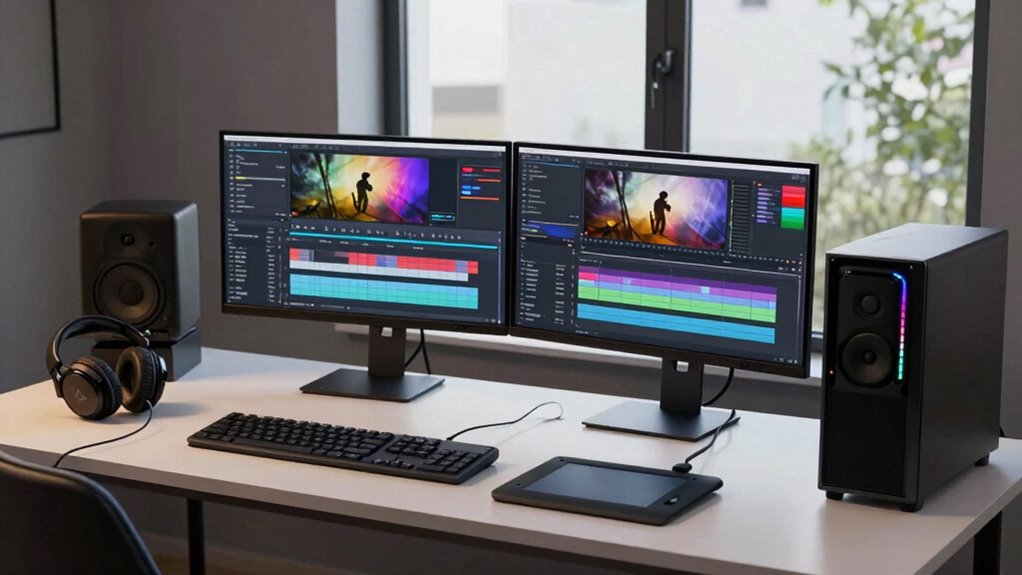
Creating an efficient editing workstation is indispensable for producing high-quality trailer projects. When you set up your space correctly, you guarantee smooth workflows and can focus more on your creative vision. At the heart of this setup is a powerful, reliable computer with a high-performance processor, ample RAM, and a dedicated graphics card. These components are essential because trailer editing often involves real-time playback of complex visuals and effects, especially during color grading. Color grading requires precise color accuracy and the ability to manipulate multiple layers of footage seamlessly. A well-calibrated monitor with high resolution and accurate color reproduction becomes your best tool in making sure your colors look just right, whether you’re enhancing mood or matching shots. Investing in a monitor with good color accuracy ensures that your trailer looks great on any screen, which is critical for professional results.
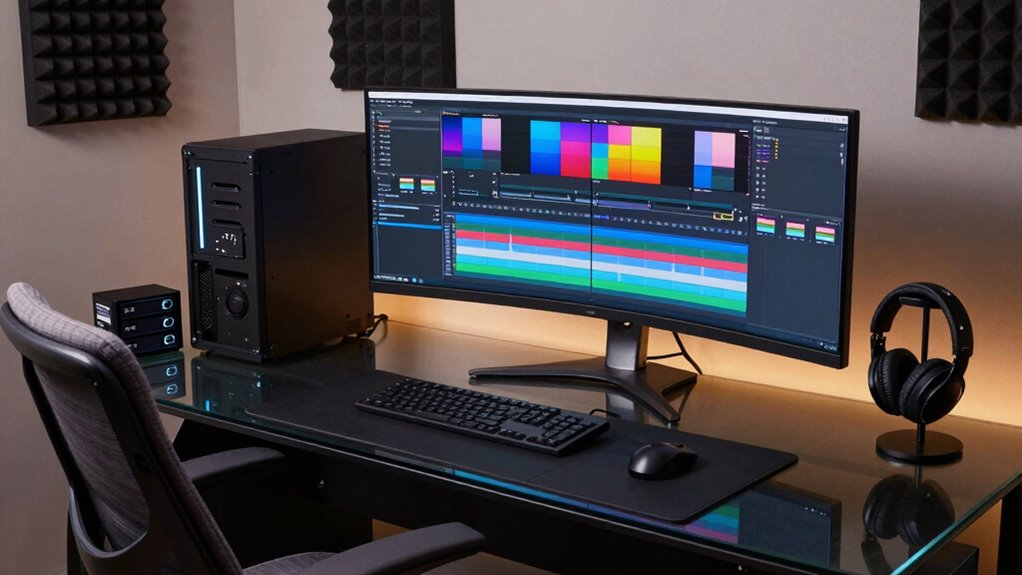
A high-quality, calibrated monitor ensures accurate colors and professional results in trailer editing.
Sound design is another fundamental element in your editing workstation. It’s not enough to just cut footage; you need to craft immersive audio experiences that elevate your trailer. A high-quality pair of studio monitors or headphones will help you hear every detail, from subtle background sounds to intense sound effects. Good audio equipment allows you to fine-tune sound layers, balance levels, and add effects that heighten the emotional impact. Having a dedicated audio interface with multiple inputs and outputs can streamline your workflow, making it easier to connect microphones, external sound modules, or mixing consoles. Clear, crisp sound design can be the difference between a good trailer and a memorable one, so prioritize equipment that offers fidelity and dependability. Additionally, understanding regional flavors and sound nuances can help you craft trailers that resonate more authentically with specific audiences. Moreover, staying updated with the latest sound technology can further enhance your ability to create compelling audio experiences. Incorporating soundproofing into your workspace can also help minimize external noise, ensuring pristine audio during editing sessions. Using high-quality microphones and proper acoustic treatment creates an environment that supports precise audio editing and recording.
To ensure your workstation operates smoothly, it’s also crucial to use high-speed storage solutions; fast SSDs reduce load times and prevent lag during editing. Keeping your workspace tidy with dedicated storage for assets, templates, and backups can save you time and reduce frustration. Software is equally important—choose industry-standard editing programs like Adobe Premiere Pro or DaVinci Resolve, which support advanced color grading and audio editing features. Having the right plugins and effects can further enhance your ability to craft professional-looking trailers.
Finally, don’t forget ergonomic comfort. An adjustable chair, proper desk height, and good lighting reduce fatigue, allowing you to work longer and more efficiently. When all these elements come together—powerful hardware, accurate display, quality sound equipment, organized storage, and ergonomic design—you create an editing workstation that helps you produce trailers that are visually stunning and sonically compelling.
high performance editing computer with powerful CPU and dedicated GPU
As an affiliate, we earn on qualifying purchases.
As an affiliate, we earn on qualifying purchases.
Frequently Asked Questions
What Is the Ideal Amount of RAM for Trailer Editing?
You should aim for at least 32GB of RAM when trailer editing to guarantee smooth performance, especially with high-resolution footage. This amount helps you handle complex projects and multitasking efficiently. As you consider hardware upgrades, keep software compatibility in mind—some editing programs benefit from more RAM. Upgrading your RAM can greatly improve your workflow, reducing lag and rendering times, making your editing process more seamless and productive.
How Important Is Color Accuracy in a Workstation?
Color accuracy is vital in a workstation because it guarantees your trailer’s visuals look consistent across devices. You should prioritize proper color calibration and monitor calibration to achieve this. When your monitor displays accurate colors, it helps you make precise adjustments, creating a polished final product. Ignoring calibration can lead to mismatched hues and poor visual quality, so investing in these steps assures your trailer looks professional and visually compelling.
Can a Laptop Replace a Desktop for Trailer Editing?
A laptop can replace a desktop for trailer editing if it offers strong mobile editing capabilities and ergonomic design. Look for a high-performance processor, ample RAM, and a dedicated graphics card to handle demanding tasks. Additionally, choose a laptop with a comfortable keyboard and adjustable screen positioning to reduce strain during long editing sessions. While portable, make certain it meets your power and connectivity needs to match desktop functionality effectively.
What Are the Best Storage Options for Large Video Files?
Think of your storage like a bustling library, filled with massive video files. External drives are your trusty bookshelves—fast, reliable, and great for quick access. Cloud storage acts like a digital vault, offering scalable space and easy sharing. Combining both guarantees you have the speed for editing and the security for backups. Opt for high-capacity external drives and reputable cloud services to keep your trailer projects smooth and organized.
How Does Workstation Portability Impact Performance?
Workstation portability can impact performance, especially if you prioritize a mobile workflow. When choosing a portable setup, make certain it offers robust hardware integration, like powerful processors and ample RAM, to handle demanding trailer projects. While mobility allows you to work from different locations, it might limit upgrade options or cooling performance. Balance portability with hardware capabilities to maintain smooth editing performance without sacrificing the flexibility you need for on-the-go editing.
color calibrated 4K professional monitor for video editing
As an affiliate, we earn on qualifying purchases.
As an affiliate, we earn on qualifying purchases.
Conclusion
To create an effective editing workstation for trailer projects, prioritize power, precision, and comfort. Invest in a fast computer, a high-quality monitor, and ergonomic accessories. Organize your workspace for efficiency, and stay updated with the latest software tools. Remember, a workstation that supports your workflow, enhances your creativity, and minimizes distractions will help you produce compelling trailers. Because a well-equipped space nurtures your skills, a well-structured space fuels your success, and a well-thought-out setup elevates your projects.
studio monitor speakers for audio editing
As an affiliate, we earn on qualifying purchases.
As an affiliate, we earn on qualifying purchases.
ergonomic office chair for long editing sessions
As an affiliate, we earn on qualifying purchases.
As an affiliate, we earn on qualifying purchases.