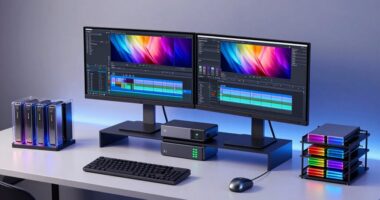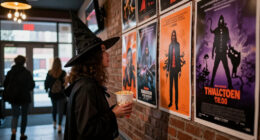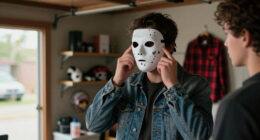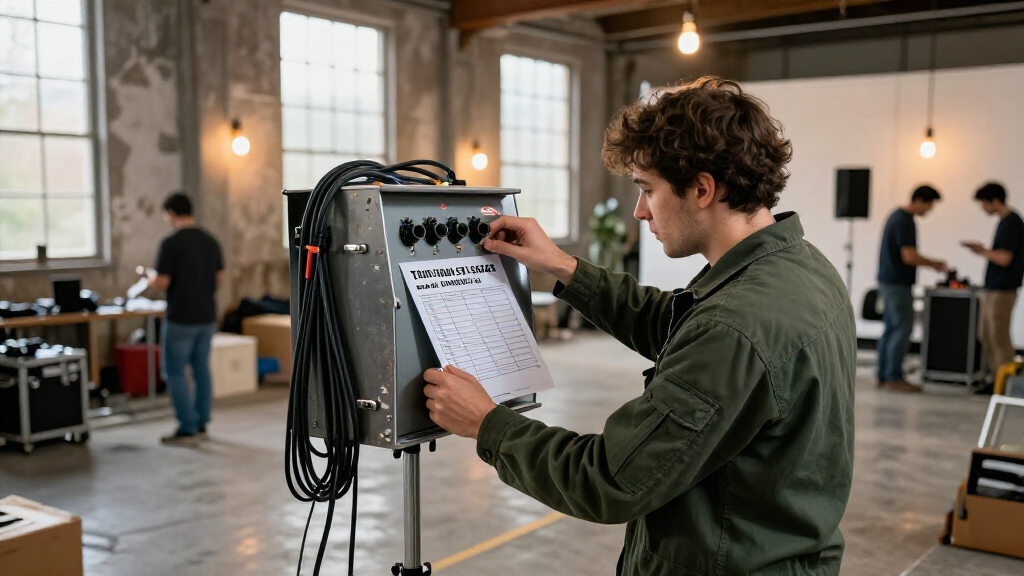
This checklist is for trailer fan filmmakers building sets at home, in a shared space, or on a small production day. It covers backgrounds, lighting, atmosphere, and props, with advice for choices that depend on your scene rather than a single product pick.

Get movie nights delivered free with Prime
- Fast, free delivery on millions of items
- Prime Video, Amazon Music and more included
- Member-only deals all year
The sections follow the set-building process: establish a background, light the scene, then consider atmosphere and visible props. Each section includes practical buying checks to help you compare what a listing offers with what your shoot needs.
Use the checklist before ordering: measure your filming area, note your camera framing, and confirm that each item fits your setup. Treat product names as starting points for comparison, and check current specifications and included accessories before buying.
Backdrop Stand
A stand gives you a way to place a background behind the action, helping define a location without rebuilding the room. The listed pick is the Westcott X-Drop 3-Pack Backdrop Kit, described as a portable, quick-assembly kit with a 5′ x 7′ size. Before choosing it, compare the kit’s dimensions with the width and height visible in your planned camera frame.
A common mistake is measuring only the backdrop area and forgetting the stand needs room around it. Check the footprint, setup height, and how the parts are stored or transported. Confirm which backdrops or accessories are included in the 3-pack, and whether the configuration suits your intended fabric. For a wide shot, a 5′ x 7′ background may not cover the full frame; for a tighter composition, it may be sufficient. Match coverage to framing, and leave room for actors to move without brushing the stand. If filming outside or near active movement, consider stability and follow the maker’s setup guidance.
What to look for:
- Compare the 5′ x 7′ size with your camera frame.
- Check stand height and floor footprint against the filming space.
- Confirm what the 3-pack includes and which backgrounds are supplied.
- Check setup and storage details for your transport needs.
- Leave clearance for performers and camera movement.
Westcott X-Drop 3-Pack Backdrop Kit (5′ x 7′) – Portable, Quick Assemble, Wrinkl

This portable backdrop kit includes three high-quality, wrinkle-resistant fabric backgrounds in white, black, and gray, ideal for portrait photography, headshots, and video conferencing. The collapsible design and lightweight stand make it easy to set up and transport, fitting in tight spaces for versatile use.
Pros:
- Portable and lightweight for easy transport
- Wrinkle-resistant and washable fabric for high-quality images
- Quick assembly and collapsible design for tight spaces
Cons:
- Limited to three colors, may require additional backgrounds for variety
- Requires separate purchase of backdrop stand
- Fabric may be delicate if not handled carefully
Best for: Small setups that need a portable backdrop stand
Not ideal for: Wide scenes that need more background coverage
Bottom line: Choose the kit only after checking its coverage, included pieces, and footprint against your shot.
Muslin Backdrop
A muslin backdrop can provide a simple surface behind a scene, but the right choice depends on your framing, lighting, and how much of the material will be visible. Start by measuring the background area in the widest planned shot, then allow extra width and height so the edges do not enter the frame. Plan for the full composition, including any camera movement or performer blocking.
One common mistake is choosing fabric by color alone. Check the product description for dimensions, care instructions, and any hanging method or accessories; do not assume a stand, clips, or a particular finish are included. Consider how the fabric will look under your lights, and inspect for folds or wrinkles before the shoot. If the material needs smoothing, account for preparation time and follow its care guidance. Confirm that the fabric can be secured with your available setup, and keep it clear of lights or other equipment. Test it in the actual frame before filming so you can spot visible edges, creases, or unwanted color shifts.
What to look for:
- Measure the visible background area and allow extra coverage.
- Check fabric dimensions, care instructions, and hanging details.
- Confirm whether clips, a stand, or other accessories are included.
- Consider how the chosen color appears under your lighting.
- Check that the material can be secured safely in your space.
LED Light Panels
Lighting helps establish the look of a set and makes subjects visible against the background. The listed pick is the NEEWER Pro 200W Flexible RGB LED Video Light Kit with Softbox. Compare the kit’s stated features with your scene: consider how you will place the light, whether the softbox suits the look you want, and whether the RGB capability is useful for your planned colors.
A common buying mistake is focusing on the headline wattage or color options without checking practical setup details. Review the listing for dimensions, mounting method, power requirements, controls, and exactly what comes in the kit. Make sure the light and softbox fit your available space, and check that your stands or mounts are compatible. For a small set, consider whether the panel can be positioned without appearing in frame or interfering with movement. Confirm mounting and power before shoot day, and test the light with your backdrop and camera. Colored illumination can change how fabric and props appear, so preview the intended look rather than relying on the product description alone.
What to look for:
- Check panel dimensions and how the softbox attaches.
- Confirm mounting options and compatibility with your supports.
- Review power requirements and control method.
- Verify which accessories are included in the kit.
- Test the light with your camera, backdrop, and intended colors.
NEEWER Pro 200W Flexible RGB LED Video Light Kit with Softbox
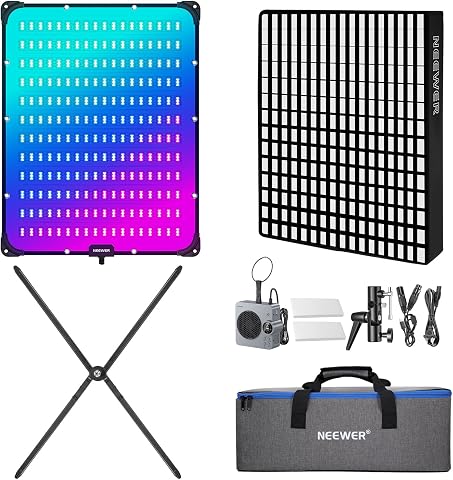
The NEEWER AF200C is a versatile 200W RGB LED video light panel with a foldable design, offering adjustable color temperature from 2500K to 10000K and full RGB spectrum. It includes a softbox, grid, diffusers, and supports app, 2.4G, DMX control for precise lighting, making it ideal for streaming, photography, and video production.
Pros:
- Flexible foldable design allows shaping for various surfaces
- High color accuracy with CRI95+ and TLCI97+
- Multiple control options including app, 2.4G, and DMX for professional use
- Rich scene effects and adjustable lighting modes for creative versatility
Cons:
- Complex setup may require familiarity with advanced controls
- Higher price point might be a consideration for casual users
Best for: Setups that want RGB lighting and a softbox option
Not ideal for: Shoots without compatible mounting or power arrangements
Bottom line: Check the kit contents, mounting, and power needs, then preview its look on camera.
Fog Machine
A fog machine can add visible atmosphere to a shot, but it should serve a clear visual purpose and fit the filming space. The listed pick is the Colbor CF3 Mini Fog Machine, described in its name as portable and handheld. Before selecting it, check the product details for operation, included accessories, and any requirements for the fluid or charging and power arrangement.
A common mistake is treating a compact device as automatically suitable for every room or scene. Consider ventilation, the distance between the device and performers, and whether the effect will be visible in your lighting and camera framing. Review the maker’s instructions and any venue rules before use, and plan a test with the actual set. Make sure the effect will not obscure important details or trigger unwanted alarms. Check the space and instructions before introducing fog, and coordinate timing so performers and camera operators know when it will be used. If the scene needs only a subtle atmosphere, test carefully and adjust according to the product guidance.
What to look for:
- Read operating instructions and any fluid or power requirements.
- Confirm what accessories are included and how the unit is controlled.
- Check whether the filming location allows fog effects.
- Plan ventilation and keep the effect clear of performers and equipment.
- Test visibility in the planned lighting and camera frame.
Colbor CF3 Mini Fog Machine Portable Handheld Smoke Machine for Photography with

The Colbor CF3 is a compact, portable fog machine delivering up to 30 minutes of continuous, adjustable fog output. It features a bendable 360° flex-fan for precise smoke direction, remote control operation, and uses non-toxic, odorless fog fluid, making it ideal for photography, events, and stage effects.
Pros:
- Compact and lightweight design for portability
- Adjustable fog density for creative control
- Remote control operation up to 10 meters
- Uses safe, non-toxic fog fluid
Cons:
- Limited fog duration of 30 minutes per fill
- Requires food-grade fog fluid for safe use
- Tilt protection may limit certain angles
Best for: Scenes that call for a controlled fog effect
Not ideal for: Spaces where fog use is restricted or ventilation is limited
Bottom line: Check the venue, operating guidance, and on-camera visibility before using a fog machine.
Clapperboard
A clapperboard gives a production a visible slate for identifying a take, and it can also work as a recognizable set detail when that suits the scene. No product is specified here, so choose according to how you plan to use it: as a working slate, a prop in frame, or both. Decide its role first so you can prioritize legibility, appearance, and handling.
A common mistake is choosing a board that looks right but is difficult to read on camera, or one that lacks the writing surface or markers your workflow needs. Check its dimensions, surface, included writing tools, and how information can be erased or updated. If it will appear in a close shot, consider whether the lettering and design match the production’s look. If it is mainly for organizing takes, make sure the board can be written on clearly and handled without disrupting the shot. Check camera readability by framing a test image from the expected distance, and confirm the board is comfortable to use for the people handling it.
What to look for:
- Choose whether the board is a working slate, an on-camera prop, or both.
- Check board dimensions and how clearly its markings read on camera.
- Confirm the writing surface and whether markers are included.
- Check how easily information can be updated or erased.
- Match the design to the scene when it will be visible in close shots.
Prop Weapons
Prop weapons can define a character or genre, but they require careful selection and handling. No product is specified for this slot. Start with the scene’s needs and the production’s safety requirements, then check applicable location rules and the prop’s description. Keep safety central in planning, and make sure everyone involved understands how the item will be used.
A common mistake is selecting a prop based only on its appearance without considering size, material, handling, or whether it can be clearly identified as a prop in the context of the production. Review the seller’s details and any instructions, and consult the location or production lead about what is permitted. Plan blocking and camera angles so the prop is handled only as needed, with a designated person responsible for it. Keep it secured when it is not being used, and brief the cast and crew before filming. Confirm permissions and procedures ahead of the shoot; if the location or production cannot support the planned prop safely, revise the scene or choose a different visual approach.
What to look for:
- Confirm the prop’s description, materials, and handling instructions.
- Check location rules and production requirements before selecting it.
- Plan who is responsible for the prop during the shoot.
- Brief cast and crew on the agreed handling and blocking.
- Consider whether camera framing can communicate the scene without the prop.
Build the set in order of what the camera needs first: measure the frame and choose background coverage, then check the stand and lighting setup. Add atmosphere and visible props only after the core composition works. Prioritize fit and compatibility so each purchase supports the planned shot and can be used in the available space.
You do not need every item for every scene. Make a short shot list, test the essentials, and adjust the set around what the camera actually sees. Start with the scene’s needs, and let each choice make filming clearer and more manageable.
Fall Picks
fall essentials
As an affiliate, we earn on qualifying purchases.