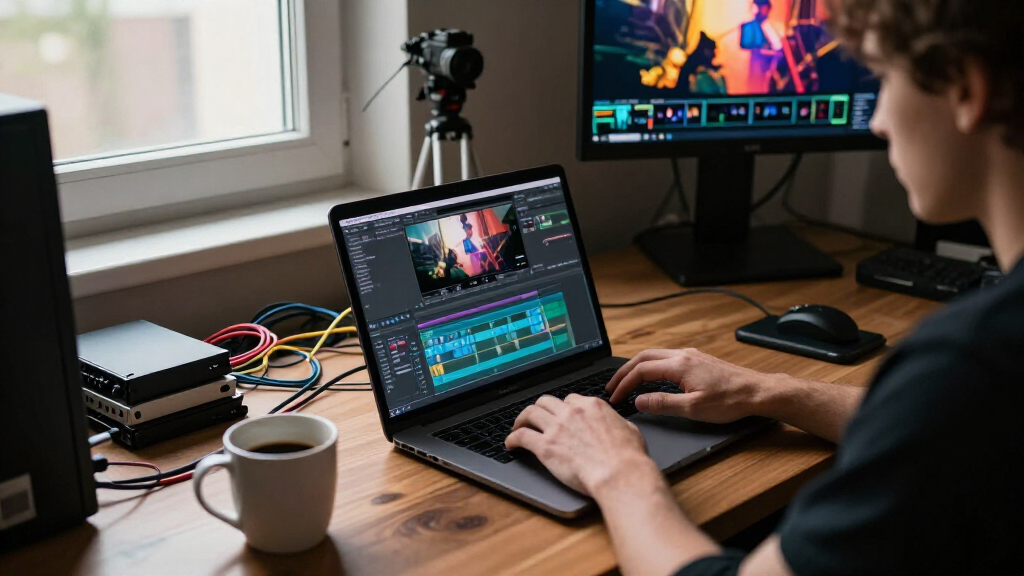
The right video editing software for trailers needs three things a typical editor doesn’t: precise rhythm-based cutting, dramatic audio syncing, and cinematic title tools. Adobe Premiere Pro stands out as my best overall pick because its seamless integration with After Effects-style motion graphics and Hollywood-grade color grading matches how professional trailers are actually made. For budget-conscious creators, CyberLink PowerDirector 2026 delivers surprising speed and built-in trailer-style effects at a fraction of the cost, while Movavi Video Editor 2026 is the easiest path from raw footage to a shareable cut. The main tradeoff in this category is between subscription power and one-time-price convenience — Premiere Pro dominates creatively but bills monthly, whereas perpetual licenses like VEGAS Pro and Pinnacle Studio cost more upfront and never charge again. Read on for the full breakdown of all 14 options, including which budget picks are actually worth your time.
Listen free for 30 days with Audible
Thousands of audiobooks and originals — cancel anytime.
Start your free trialAs an affiliate, we earn on qualifying purchases.
Key Takeaways
- Adobe Premiere Pro won best overall because trailer work lives or dies on motion graphics and audio sync, and its ecosystem (Essential Graphics, Audition round-tripping, Lumetri color) covers every stage of a trailer cut without third-party workarounds.
- Subscription pricing is the defining split in this lineup: Premiere Pro’s 12-month plan costs more over three years than every perpetual license here, yet no one-time purchase matches its title-animation depth.
- Older or budget titles — MAGIX Movie Edit Pro 18 MX and Videoshow — lack keyframe-heavy editing and modern GPU acceleration, which makes fast-paced trailer pacing genuinely painful; they ranked at the bottom for a reason.
- The free and cheap picks (VideoPad Free, Nero Video Maker) are workable for a first trailer but cap export resolution or watermark output, so hobbyists should budget for the paid tier from day one.
- Consumer suites (Premiere Elements 2026, Corel VideoStudio Ultimate) have moved closer to pro features — guided edits and themed title packs now cover most trailer conventions, making them the smart middle ground for YouTubers.
| Adobe Premiere Elements 2026 Video Editing Software Download (PC/Mac, 3-Year License) |  | Best Overall | Platform: PC/Mac | License Duration: 3 years | Activation: Required, internet connection needed | VIEW LATEST PRICE | See Our Full Breakdown |
| Movavi Video Editor 2026 Personal License |  | Best Value for Beginners | License: Personal, one-time purchase | Platform: PC download | AI Features: Sound denoise, background swap | VIEW LATEST PRICE | See Our Full Breakdown |
| CyberLink PowerDirector 2026 Video Editing Software for Windows |  | Best AI Toolkit | Platform: Windows | AI Features: Video Generator, Talking Avatar, Object Mask, Background Remover, Audio Denoise, Speech to Text | Extras: Screen recording | VIEW LATEST PRICE | See Our Full Breakdown |
| VEGAS Pro Edit 21 – Video and Audio Editing Software with AI Tools |  | Best Premium Pick | Platform: PC (Windows 10 & 11) | CPU Requirement: 4x 2.5 GHz minimum | RAM Requirement: 16 GB | VIEW LATEST PRICE | See Our Full Breakdown |
| Pinnacle Studio 26 Ultimate Video Editing & Screen Recording Software [PC Download] | ” image=”https://m.media-amazon.com/images/I/71Ob-khrtbL._AC_SX342_SY445_QL70_FMwebp_.jpg” link=”0″] | Best for Multi-Camera and 8K Work | Platform: PC Download | Supported Resolutions: HD, 4K, 360°, 8K | Key Features: Video masking, motion tracking, color grading, green screen, multi-cam editing | VIEW LATEST PRICE | See Our Full Breakdown |
| MAGIX Movie Edit Pro 18 MX Download |  | Best Budget Entry Point | Platform: PC | Type: Video editing software (download) | Key Features: Visual effects, slow motion, optimized performance | VIEW LATEST PRICE | See Our Full Breakdown |
| Nero Video 2026 Video Editing Software for Windows |  | Best Value All-in-One | Supported Formats: H.265/HEVC, 4K, 8K | Effects & Tools: 1000+ effects, titles, filters, keyframe animation, motion tracking | Editing Features: Multi-track timeline, drag-and-drop editing, trimming, cutting | VIEW LATEST PRICE | See Our Full Breakdown |
| Nero Video Maker – Video Editing Software with 8K, 4K, Full HD Support, AI-Powered, Lifetime License for Windows |  | Best for Fast AI-Assisted Edits | Resolution Support: 8K, 4K, Full HD | Platform: Windows 11/10/8/7 | AI Features: AI media management | VIEW LATEST PRICE | See Our Full Breakdown |
| Adobe Premiere Pro Video Editing Software – 1-Month Subscription (PC/Mac) |  | Best Professional Standard | Subscription Duration: 1 month | Platform: PC/Mac | Format Support: Up to 8K and virtual reality | VIEW LATEST PRICE | See Our Full Breakdown |
| Videoshow Slideshow Video Editing Effects & Animations Software for Windows 10 & 11 |  | Best for Absolute Beginners | Compatibility: Windows 10, Windows 11 | Core Features: Cutting, editing, animation, sound, effects | Included: Product key card with download link and license key | VIEW LATEST PRICE | See Our Full Breakdown |
| VideoPad Video Editor Free – Create Movies with Effects and Transitions |  | Best Free Starter Option | Price Model: Free version with trial features | License: Non-commercial use only | Core Features: Video and picture editing, effects, transitions | VIEW LATEST PRICE | See Our Full Breakdown |
| Adobe Premiere Pro Video Editing Software 12-Month Subscription (PC/Mac) |  | Best Professional Choice | Subscription Duration: 12 months | Auto-Renewal: Yes | Platform: PC/Mac | VIEW LATEST PRICE | See Our Full Breakdown |
| VideoPad Video Editor – Create Professional Videos with Transitions and Effects |  | Best Budget-Friendly Workhorse | Core Features: Effects, transitions, video speed adjustment | Capture Sources: DV camcorder, VHS, webcam | Format Support: Most video file formats | VIEW LATEST PRICE | See Our Full Breakdown |
| Corel VideoStudio Ultimate 2023 Video Editing Software with Effects and DVD Burner |  | Best Mid-Range All-Rounder | Platform: PC (Windows) | Max Resolution: 8K | Codec Support: AV1 and other formats | VIEW LATEST PRICE | See Our Full Breakdown |
| video editing software for trailer | Platform | License |
|---|---|---|
| Adobe Premiere Elements 2026 V | PC/Mac | — |
| Movavi Video Editor 2026 Perso | PC download | Personal, one-time purchase |
| CyberLink PowerDirector 2026 V | Windows | — |
| VEGAS Pro Edit 21 | PC (Windows 10 & 11) | 1 license |
| Pinnacle Studio 26 Ultimate Vi | PC Download | — |
| MAGIX Movie Edit Pro 18 MX Dow | PC | One-time download |
| Nero Video 2026 Video Editing | — | Lifetime, one-time purchase |
| Nero Video Maker | Windows 11/10/8/7 | Lifetime, 1 PC |
| Adobe Premiere Pro Video Editi | PC/Mac | — |
| Videoshow Slideshow Video Edit | Windows | Lifetime, 1 user |
| VideoPad Video Editor Free | — | Non-commercial use only |
| Adobe Premiere Pro Video Editi | PC/Mac | — |
| VideoPad Video Editor | — | Commercial use permitted |
| Corel VideoStudio Ultimate 202 | PC (Windows) | — |
More Details on Our Top Picks
Adobe Premiere Elements 2026 Video Editing Software Download (PC/Mac, 3-Year License)
Trailer cutting is mostly about rhythm, punchy titles, and fast iteration, and Premiere Elements 2026 nails all three without the subscription weight of Adobe Premiere Pro. The AI-driven automation handles the boring parts — trimming, organizing clips, fixing color — so the editor can focus on pacing. Compared with Movavi Video Editor, it offers more room to grow: a beginner can start in the guided mode and graduate to manual editing as their trailer work gets more ambitious. Support for 360° and VR footage is a bonus for anyone cutting immersive teasers. The tradeoff is real, though: this is a 3-year license, not a perpetual one, and activation requires an internet connection, which will irritate buyers who want a set-and-forget purchase.
Pros:- Guided editing modes make trailer pacing and title work approachable for beginners
- AI automation for trimming, organization and color saves hours on rough cuts
- Runs on both PC and Mac, unlike PowerDirector and Pinnacle which are Windows-only
- 360° and VR support for unconventional trailer formats
Cons:- 3-year license expires with no automatic renewal, unlike true perpetual options
- Requires activation and an internet connection
- Newer OS requirements can shut out older hardware
Best for: Aspiring trailer editors and hobbyist filmmakers who want guided AI help now and room to grow into manual editing
Not ideal for: Buyers who refuse software licenses with expiration dates or need offline installation on an air-gapped machine
- Platform:PC/Mac
- License Duration:3 years
- Activation:Required, internet connection needed
- Supported OS:Windows 11, macOS
- AI Features:AI-driven editing and automation
- Special Formats:360° and VR video support
- Includes:Effects, color correction, organization and sharing tools
Our verdict“The best all-around pick for someone whose main goal is cutting polished trailers without a monthly bill.”
Movavi Video Editor 2026 Personal License
For a first trailer, speed beats sophistication, and Movavi’s drag-and-drop timeline gets a rough cut together faster than anything else here. The intro and title templates are exactly what a short promotional edit needs, and AI tools like sound denoising and background swapping solve the two most common amateur problems: noisy audio and cluttered shots. Compared with Premiere Elements, Movavi feels lighter and less capable long-term — there’s no 360° support and less depth in manual color grading — but the barrier to entry is much lower. The 180+ filter library is generous for the price. The main frustrations are the personal-use-only license, which blocks commercial trailer work, and the PC download model with no cloud access.
Pros:- Fastest path from raw footage to a finished trailer for new editors
- AI sound denoising and background swapping fix common beginner problems in one click
- 180+ filters plus ready-made intros and titles suited to short-form promo edits
- Affordable one-time purchase
Cons:- Personal license only — no commercial use allowed
- Windows download only, with no cloud or cross-platform workflow
- Shallow color grading compared with VEGAS Pro or Pinnacle
Best for: First-time editors making hobby trailers, fan edits, and family or event promos on a budget
Not ideal for: Freelancers or anyone cutting paid commercial trailers — the personal license forbids it
- License:Personal, one-time purchase
- Platform:PC download
- AI Features:Sound denoise, background swap
- Effects Library:180+ filters
- Included Tools:Intros, titles, blend effects, color correction, highlight effects
- Commercial Use:Not permitted
Our verdict“The cheapest credible way to learn trailer editing, as long as the work stays personal.”
CyberLink PowerDirector 2026 Video Editing Software for Windows
Modern trailers lean hard on motion graphics, clean masks, and snappy captions, and PowerDirector 2026’s AI stack — object masking, background removal, speech-to-text — maps directly onto those needs. Speech-to-text alone is a quiet advantage for trailer work: subtitles and pull quotes generate automatically instead of being typed by hand. Compared with VEGAS Pro Edit 21, PowerDirector trades some raw professional depth for accessibility, making it the better choice for YouTubers and solo creators rather than post houses. The catch is the AI credit system: headline tools are metered or sold separately, so the sticker price understates real cost. Some features also demand Intel AI PC hardware, meaning buyers on older rigs may pay for capabilities they can’t run. Deliver is via download code, not direct install.
Pros:- Object masking and background removal produce trailer-style visuals without green screen gear
- Built-in screen recording covers game trailer and tutorial workflows
- Speech-to-text automates captions and title copy
- Faster learning curve than VEGAS Pro or Pinnacle for creator-style edits
Cons:- AI credits for certain tools are metered or sold separately
- Key AI features require Intel AI PC hardware
- Windows-only, with vague published system requirements
Best for: YouTubers and solo content creators who want AI-accelerated trailer production for platform uploads
Not ideal for: Buyers on older Windows machines — several AI features need specific Intel AI hardware
- Platform:Windows
- AI Features:Video Generator, Talking Avatar, Object Mask, Background Remover, Audio Denoise, Speech to Text
- Extras:Screen recording
- Delivery:Download code
- Hardware Note:Some AI tools require Intel AI PCs
- Publishing:Optimized for YouTube and other platforms
Our verdict“The strongest AI feature set for creators — if your hardware supports it and you accept the credit system.”
VEGAS Pro Edit 21 – Video and Audio Editing Software with AI Tools
When a trailer has to look theatrical, color grading and audio precision matter as much as the cut, and this is where VEGAS Pro Edit 21 pulls ahead of the consumer tier. Advanced grading, AI-assisted masking, video repair, and VST3 plug-in support give it genuine post-production muscle that Pinnacle Studio and PowerDirector only approximate. GPU-accelerated export is a practical blessing for anyone rendering multiple trailer versions for different platforms in one evening. The cost of that power is twofold: it wants a 16 GB RAM machine with a decent CPU, and the interface assumes you already know what a proxy workflow is. Beginners will stall here where they’d thrive in Movavi or Premiere Elements. For committed editors, though, it’s the most professional perpetual-license value in this batch.
Pros:- Professional-grade color grading and VST3 audio support for a polished, cinematic finish
- GPU-accelerated export renders multiple trailer versions quickly
- AI-assisted masking, effects and video repair save tedious manual work
- Perpetual one-license purchase versus Adobe Premiere Pro’s monthly subscription
Cons:- Requires 16 GB RAM and a capable multi-core CPU
- Steep learning curve compared with consumer options like Movavi
Best for: Serious amateur and semi-pro editors producing cinematic trailers who want pro audio and color tools without a subscription
Not ideal for: Casual editors or owners of low-spec laptops — the learning curve and hardware demands will fight them
- Platform:PC (Windows 10 & 11)
- CPU Requirement:4x 2.5 GHz minimum
- RAM Requirement:16 GB
- License:1 license
- AI Features:AI-assisted masking, effects, video repair
- Performance:GPU acceleration
- Audio Support:VST3 plug-ins
Our verdict“The closest thing here to a professional trailer-editing suite for a one-time price.”
Pinnacle Studio 26 Ultimate Video Editing & Screen Recording Software [PC Download]
” image=”https://m.media-amazon.com/images/I/71Ob-khrtbL._AC_SX342_SY445_QL70_FMwebp_.jpg” link=”0″]Best for Multi-Camera and 8K Work
View Latest PriceTrailer editors juggling multiple camera angles — event promos, behind-the-scenes teasers, music trailers — get real multi-cam editing here, plus support up to 8K resolution, which nothing else in this batch matches. Motion tracking, green screen, and video masking round out a toolset that sits between PowerDirector’s creator focus and VEGAS Pro’s professional depth. The 100+ professional templates are a genuine time-saver when a client needs three trailer variants by Friday, and built-in tutorials soften the learning curve that sinks most software at this level. Direct export to YouTube and Vimeo streamlines delivery. The honest downsides: it wants a powerful PC to stay stable at high resolutions, and there’s no free trial, so you’re committing sight-unseen.
Pros:- True multi-camera editing, rare at this price point
- Supports HD, 4K, 360° and 8K footage
- Motion tracking, green screen and video masking cover professional trailer techniques
- 100+ templates plus tutorials speed up delivery and learning
Cons:- Needs a powerful PC for stable high-resolution editing
- Steep learning curve for beginners
- No free trial or subscription option to test before buying
Best for: Event videographers and multi-cam shooters producing 4K/8K trailers who need pro templates and direct platform upload
Not ideal for: Casual editors or modest hardware owners — multi-cam and 8K demand a serious PC and patient learning
- Platform:PC Download
- Supported Resolutions:HD, 4K, 360°, 8K
- Key Features:Video masking, motion tracking, color grading, green screen, multi-cam editing
- Extras:Screen recording, audio editing
- Templates:100+ pro-caliber templates
- Export Options:Multiple formats, direct upload to YouTube and Vimeo
- Learning Support:Built-in tutorials
Our verdict“The pick for multi-camera, high-resolution trailer projects where template-driven speed matters.”
MAGIX Movie Edit Pro 18 MX Download
Movie Edit Pro 18 MX is the cheapest way into effects-heavy trailer cutting on this list, and its wizard-driven approach means a first-time editor can assemble a watchable teaser in an afternoon. The slow-motion tools are the standout — trailer editors live on speed ramps, and few budget packages handle them this gracefully. Compared with Videoshow, which matches the low price, MAGIX offers deeper visual effects and a real multi-step timeline instead of template shortcuts. The tradeoff is age: this is an older release, so expect fewer modern conveniences than Nero Video 2026 provides, and documentation on supported formats is thin. This pick makes the most sense for someone who wants to learn trailer pacing on a shoestring before committing to pricier software.
Pros:- Smooth slow-motion effects ideal for dramatic trailer pacing
- Built-in tutorials and wizards shorten the learning curve
- Wide range of visual effects and enhancements for the price
- Faster rendering via the MAGIX Hybrid Video Engine
Cons:- Older release with limited modern format support
- Sparse documentation on system requirements and codecs
Best for: Hobbyist editors on a tight budget who want slow-motion and effects tools for fan trailers without a subscription
Not ideal for: Anyone working with modern high-resolution source footage — the version’s age and vague format support make 4K projects risky
- Platform:PC
- Type:Video editing software (download)
- Key Features:Visual effects, slow motion, optimized performance
- Learning Support:Built-in tutorials and wizards
- Engine:MAGIX Hybrid Video Engine
- License:One-time download
Our verdict“A low-cost training ground for trailer editing fundamentals, as long as your footage is standard resolution.”
Nero Video 2026 Video Editing Software for Windows
Nero Video 2026 hits a sweet spot that MAGIX Movie Edit Pro and Videoshow can’t reach: 8K support, motion tracking, and a thousand-plus effects under a one-time lifetime license. For trailer work specifically, keyframe animation and motion tracking are what make title cards and text reveals feel polished rather than homemade — features usually reserved for pricier picks like CyberLink PowerDirector. The drag-and-drop timeline keeps assembly fast when you’re cutting a two-minute teaser under deadline. The honest tradeoff: it lacks the industry-grade color and audio toolsets of Adobe Premiere Pro, and there’s no subscription path for rolling feature updates. This option stands out for independent creators who want professional-looking trailer output without monthly fees.
Pros:- 1000+ effects, titles, and templates for striking trailer graphics
- Motion tracking and keyframe animation for dynamic titles
- Full 4K and 8K support with H.265/HEVC handling
- Lifetime license with no recurring fees
Cons:- Learning curve despite the friendly interface
- No update path beyond the purchased version
Best for: Independent filmmakers and content creators who need 4K/8K trailer output and rich effects without subscription costs
Not ideal for: Colorists and audio-focused editors who need the fine-grained grading and sound mixing tools found in Premiere Pro or VEGAS Pro
- Supported Formats:H.265/HEVC, 4K, 8K
- Effects & Tools:1000+ effects, titles, filters, keyframe animation, motion tracking
- Editing Features:Multi-track timeline, drag-and-drop editing, trimming, cutting
- Output Options:Movies, slideshows, DVDs, Blu-ray with custom menus
- License:Lifetime, one-time purchase
- Compatibility:Windows 11, 10, 8, 7
Our verdict“The strongest balance of price, effects, and resolution support for creators producing trailers on a budget.”
Nero Video Maker – Video Editing Software with 8K, 4K, Full HD Support, AI-Powered, Lifetime License for Windows
Sitting alongside Nero Video 2026 in the same family, Video Maker leans harder into AI media management, which pays off when you’re sifting through hours of footage to find the ten seconds that belong in a trailer. The 1000+ templates and green-screen support cover the genre’s staples — dramatic text, layered composites, quick cuts. Compared with MAGIX Movie Edit Pro 18 MX, it’s far more current, with 8K export that keeps up with modern camera workflows. The catch is the single-PC license: unlike Nero Video 2026’s broader terms, you can’t move between a desktop and a laptop without friction, and there’s zero cloud or collaboration support. This model is better suited to solo editors who work on one machine and want AI to accelerate the boring parts.
Pros:- AI-powered media management speeds up footage selection
- 8K, 4K, and Full HD support for modern workflows
- Green screen, PiP, and motion tracking in one package
- Lifetime license with no subscription
Cons:- Locked to a single PC
- No cloud storage or collaboration features
Best for: Solo editors who organize large footage libraries and want AI tools to speed up trailer assembly on a single Windows machine
Not ideal for: Teams or multi-device workflows — the one-PC license and absence of collaboration features will quickly become a bottleneck
- Resolution Support:8K, 4K, Full HD
- Platform:Windows 11/10/8/7
- AI Features:AI media management
- Creative Tools:1000+ templates, effects, green screen, PiP, motion tracking
- Editing Features:Multi-track editing
- License:Lifetime, 1 PC
Our verdict“A smart pick for one-person productions that value AI-assisted organization over team flexibility.”
Adobe Premiere Pro Video Editing Software – 1-Month Subscription (PC/Mac)
Premiere Pro is the industry-standard choice for a reason — it’s the tool behind real film and streaming trailers, and its color grading, audio refinement, and format flexibility go well beyond what Nero Video 2026 or VEGAS Pro offer in those areas. The one-month subscription is actually a clever fit for trailer work specifically: many trailer projects are short sprints, and paying for a single month beats a lifetime license you’ll rarely open again. Compared with VideoPad or Videoshow, the learning curve is steep and the monthly cost compounds fast if the project drags. This pick makes the most sense for editors who need broadcast-grade output and already know their way around a professional timeline — or have a deadline that justifies renting the best.
Pros:- Professional-grade editing, color, and audio tools used in film and TV
- Supports resolutions up to 8K plus VR formats
- Cross-platform on PC and Mac
- One-month term suits short, deadline-driven projects
Cons:- Costs balloon if the subscription renews month after month
- Steep learning curve compared with consumer editors
Best for: Professional or semi-pro editors with a short trailer project who need industry-grade color, audio, and format support
Not ideal for: Casual hobbyists — the steep learning curve and recurring cost outweigh the pro features for occasional edits
- Subscription Duration:1 month
- Platform:PC/Mac
- Format Support:Up to 8K and virtual reality
- Key Tools:Professional editing, color grading, audio refinement
- Used By:Film, TV, and web content professionals
- License Type:Monthly subscription
Our verdict“Rent the industry standard for the duration of a serious trailer project, then decide if the subscription earns a permanent spot.”
Videoshow Slideshow Video Editing Effects & Animations Software for Windows 10 & 11
Videoshow is the easiest entry point in this lineup — if the goal is a simple teaser or promotional clip assembled in under an hour, its cut, animate, and add-sound workflow gets you there without opening a manual. Where Adobe Premiere Pro demands weeks of learning and Nero Video Maker assumes some timeline familiarity, Videoshow’s intuitive operation is genuinely beginner-proof. The effects and animation library gives quick hits of polish that suit teaser-style content. The honest limitation is depth: format support is unspecified, there’s no multi-track sophistication, and the single-user license restricts sharing. Compared with MAGIX Movie Edit Pro, you trade slow-motion control and advanced effects for sheer simplicity. This option stands out for first-time editors making their very first trailer-shaped video.
Pros:- Extremely intuitive operation with almost no learning curve
- Wide range of effects and animations for quick polish
- Fast path from raw clips to finished video
- Lifetime license for one user
Cons:- No published details on supported video formats
- Limited advanced editing capability for complex trailer work
Best for: Complete beginners and casual users who want to produce a simple teaser or slideshow-style promo quickly on Windows
Not ideal for: Aspiring trailer editors with ambitions beyond basic cuts — the lack of documented format support and advanced tools will cap growth
- Compatibility:Windows 10, Windows 11
- Core Features:Cutting, editing, animation, sound, effects
- Included:Product key card with download link and license key
- License:Lifetime, 1 user
- Skill Level:Beginner
- Platform:Windows
Our verdict“The simplest way for a first-timer to make a short, fun trailer-style video — just don’t expect room to grow.”
VideoPad Video Editor Free – Create Movies with Effects and Transitions
VideoPad’s free tier is the easiest way to test whether trailer editing is something you’ll actually stick with before spending anything. Compared with the paid VideoPad Video Editor edition later in this lineup, this free version covers the fundamentals — transitions, audio tools, and direct social sharing — but stops short of anything commercial. That’s the real catch: the license is non-commercial only, so a filmmaker building trailers for clients or monetized channels can’t legally rely on it. Against something like Movavi Video Editor 2026, which costs money but removes those restrictions, this pick makes the most sense as a practice ground rather than a production tool. Some advanced effects sit behind a paid upgrade, which can interrupt a project mid-edit.
Pros:- Genuinely free entry point with no initial cost
- Familiar effects, transitions, and audio tools for learning the craft
- Direct sharing to social platforms speeds up feedback loops
- Gentle on older or modest hardware
Cons:- Non-commercial license blocks any paid or monetized work
- Key advanced features require a paid upgrade partway through
Best for: Hobbyists and first-time editors who want to learn trailer cutting basics on a zero-dollar budget
Not ideal for: Anyone editing for money — freelance trailer editors or monetized YouTubers, since the license forbids commercial use
- Price Model:Free version with trial features
- License:Non-commercial use only
- Core Features:Video and picture editing, effects, transitions
- Audio Tools:Audio editing and enhancements
- Sharing Options:Direct online sharing, disc burning
- Upgrade Path:Paid unlock for advanced features
Our verdict“Pick this only if you’re experimenting with trailer editing for fun; the moment money enters the picture, move to a licensed editor.”
Adobe Premiere Pro Video Editing Software 12-Month Subscription (PC/Mac)
If trailers are your professional deliverable — theatrical spots, streaming promos, client work — Premiere Pro is the industry standard for a reason. Its format flexibility, including 8K and VR footage, plus deep color and audio refinement, puts it in a different league from consumer editors like Corel VideoStudio Ultimate 2023, which handles 8K on paper but lacks Premiere’s collaborative ecosystem and integration with After Effects title work. The tradeoffs are real: the 12-month subscription auto-renews, so costs compound every year, and the learning curve is steep enough that a beginner cutting a first fan-trailer will waste weeks on workflow questions. Compared with VEGAS Pro Edit 21, which is a one-time purchase with AI tools, Premiere wins on industry acceptance but loses on long-term value.
Pros:- Industry-standard toolset accepted by studios and agencies
- Handles 8K, VR, and virtually every camera format
- Deep integration with Adobe’s ecosystem for motion graphics and audio
- Professional color correction and audio refinement built in
Cons:- Auto-renewing subscription keeps costing money every year
- Steep learning curve demands serious time investment
Best for: Working trailer editors and aspiring professionals who need industry-standard tools and After Effects integration
Not ideal for: Casual editors or one-off trailer projects — the recurring subscription and steep learning curve outweigh the power
- Subscription Duration:12 months
- Auto-Renewal:Yes
- Platform:PC/Mac
- Max Resolution:8K
- Special Formats:Virtual reality content
- Core Tools:Editing, color correction, audio refinement
- Target Users:Filmmakers, TV editors, YouTubers, videographers
Our verdict“This is the professional’s tool — buy it if trailer editing pays your bills, skip it if it’s a hobby.”
VideoPad Video Editor – Create Professional Videos with Transitions and Effects
The paid VideoPad VideoEditor solves the biggest problem with its free sibling: the non-commercial restriction disappears, making it a legitimate budget option for small-channel creators selling trailer edits. Its drag-and-drop interface and support for capture from DV camcorders, VHS, and webcams make it unusually good for repurposing older footage into trailer formats. That said, it doesn’t compete with CyberLink PowerDirector 2026 or Pinnacle Studio 26 Ultimate on rendering sophistication or effects libraries — those tools produce more polished results if you’re willing to pay more. Processing speed also leans heavily on your hardware, so a weak PC will slow longer trailer exports. This option stands out for value and simplicity, not raw power.
Pros:- Commercial use allowed, unlike the free version
- Broad format import plus capture from VHS, DV, and webcam
- Drag-and-drop interface keeps edit time short
- Well suited to DVD, HD, and YouTube deliverables
Cons:- Limited advanced editing tools versus higher-end suites
- Export speed depends heavily on hardware
- Some features still gated behind upgrades
Best for: Small YouTubers and freelance editors on tight budgets who need commercial rights without subscription fees
Not ideal for: Editors chasing cinematic polish — the effects library and precision tools trail premium suites noticeably
- Core Features:Effects, transitions, video speed adjustment
- Capture Sources:DV camcorder, VHS, webcam
- Format Support:Most video file formats
- Output Targets:DVD, HD, YouTube
- Interface:Drag-and-drop timeline
- License:Commercial use permitted
- Upgrade Notes:Some features require purchase or upgrade
Our verdict“A sensible low-cost workhorse for straightforward trailer jobs — just don’t expect broadcast-grade results.”
Corel VideoStudio Ultimate 2023 Video Editing Software with Effects and DVD Burner
Corel VideoStudio Ultimate 2023 occupies the sweet spot between consumer simplicity and pro-level capability that this roundup’s extremes don’t. It’s a one-time purchase — unlike the perpetually renewing Adobe Premiere Pro subscription — while offering 8K and AV1 support that outclasses budget picks like the paid VideoPad. The bundled premium effects, title tools, and DVD burner mean a trailer editor gets punchy visuals and physical deliverables without buying add-ons. The tradeoff sits in depth and platform: it’s Windows-only, its learning curve is steeper than VideoPad’s friendly timeline, and it still can’t match Premiere’s professional color and collaboration tools. Compared with MAGIX Movie Edit Pro 18 MX, Corel’s effects collection and format support feel a generation ahead, justifying the higher price for serious hobbyists.
Pros:- One-time purchase with no recurring fees
- 8K and AV1 format support rivals pro suites
- Bundled premium effects, templates, and transitions
- Includes screen recorder, slideshow maker, and DVD burner
Cons:- Windows-only, leaving Mac editors out entirely
- Learning curve is real for newcomers
- Demands a fairly powerful PC for smooth 8K work
Best for: Enthusiast trailer creators on Windows who want premium effects and 8K support for a one-time price
Not ideal for: Mac users and total beginners — it’s PC-only and its feature depth takes time to learn
- Platform:PC (Windows)
- Max Resolution:8K
- Codec Support:AV1 and other formats
- Bundled Tools:Premium effects collection, slideshow maker, screen recorder, DVD burner
- Editing Features:Customizable transitions, titles, captions, music tools
- License Model:One-time purchase
- Export Options:Multiple devices, DVD burning
Our verdict“The best value-for-power pick here — buy it if you’re a Windows enthusiast who wants professional-looking trailers without a subscription.”
How We Picked
I judged every option through one narrow lens: how well does it cut a two-minute trailer — not a vlog, not a wedding video. That meant scoring each product on cutting precision and keyframe control (can you trim to the beat and animate text on a frame level?), title and motion graphics tools (trailer cards, kinetic typography, dramatic reveals), audio workflow (ducking, syncing hits to cuts, sound effect layering), and export flexibility (4K output, codec options, platform presets). Performance mattered too: trailer editing means scrubbing high-bitrate footage constantly, so rendering speed and timeline responsiveness were weighted heavily.
Ranking also reflected pricing model and long-term value. A monthly subscription was evaluated against what the same money buys in perpetual licenses over one, two, and three years — which is why Premiere Pro’s one-month and twelve-month plans appear as separate entries with different verdicts. Finally, I factored in the learning curve relative to output quality. A program that takes weeks to master but produces cinematic results (VEGAS Pro) ranked differently than one that produces mediocre results in an hour (Nero Video 2026), and the writeups make that tradeoff explicit for each pick.
Factors to Consider When Choosing Video Editing Software For Trailers
Before committing to any of these fourteen programs, it helps to understand what trailer editing specifically demands — and where most buyers overspend or undershoot. These are the factors that separated the top of this ranking from the bottom.Keyframe Control Is Non-Negotiable
Trailers are built on accelerating rhythm — slow builds, rapid-fire cuts, title cards that punch in and fade out. That style is impossible without frame-accurate keyframing on position, scale, opacity, and effects. The cheapest editors in this roundup technically offer keyframes, but with clunky interfaces that make a 40-cut sequence feel like data entry. Before buying, check whether the software lets you edit keyframes directly on the timeline rather than only in a separate panel — the difference in workflow speed is dramatic. Buyers who skip this check often end up buying twice: an impulse budget purchase, then the real tool six months later. My advice is to treat robust keyframing as your minimum bar, and let extras like AI tools be the tiebreaker, not the deciding factor.
Title and Motion Graphics Depth
Half of what makes a trailer feel like a trailer is typography: the studio logo sting, the cast name cards, the ‘COMING SOON’ reveal. Editors vary enormously here, from After Effects-grade motion graphics in Premiere Pro to prebuilt title templates in Premiere Elements and VideoStudio that look polished with zero effort. The common buyer mistake is assuming ‘text tool’ means ‘title tool’ — basic text overlays without animation presets won’t carry a trailer. If you’re not comfortable designing animations yourself, prioritize software with editable, animated title packs included; if you want full creative control, look for support for plugins, motion templates, or a companion motion-graphics app. This single factor explains most of the ranking gap between the mid-tier and bottom-tier picks in this guide.
Audio Workflow: The Underrated Differentiator
A trailer’s impact is roughly half sound — the rising score, the bass drop synced to a hard cut, the silence before the title. Yet audio is where budget editors cut corners, offering only basic volume adjustment where you need multi-track audio, keyframed levels, and precise sync nudging. VEGAS Pro earned its premium position largely on audio reputation, and Premiere Pro’s round-trip with Audition is a genuine professional advantage. When comparing options, test (or research) how the timeline handles audio snapping — cutting a video clip to land exactly on a musical hit is the core trailer-editing motion. Also check whether the program supports separate audio and video track manipulation; editors that lock them together will fight you constantly. Buyers focused only on video features routinely underestimate this and end up doing sound fixes in a second program.
Subscription vs. Perpetual License Math
This lineup contains both pricing models, and the honest answer is that the right choice depends on how often you’ll actually cut trailers. Premiere Pro’s subscription costs more per year than most perpetual licenses cost forever — but it’s always current, always supported, and cancellable after a single project. Perpetual licenses like VEGAS Pro Edit, Pinnacle Studio, and Movie Edit Pro are cheaper over two-plus years, but older versions (Movie Edit Pro 18 MX is the cautionary tale here) never get the codec and format support that future cameras and platforms demand. A useful rule: if you edit monthly, subscriptions usually win on capability-per-dollar; if you edit a few times a year, a mid-priced perpetual license wins on sanity. Also watch for version-locking on discounted licenses — some cheap listings are for outdated releases disguised as bargains.
Hardware Reality Check
Professional trailer work means 4K (or higher) footage, multiple video layers, color grading, and effects — all at once. That’s a different load than trimming 1080p phone clips, and it’s why ‘system requirements’ deserves more than a glance. Several Windows-only picks in this roundup (PowerDirector, VEGAS Pro) lean heavily on GPU acceleration and can feel like different programs on a machine with a discrete graphics card versus integrated graphics. Under-specced hardware won’t just make rendering slow; it makes scrubbing the timeline laggy, which breaks the rhythm-checking that trailer editing depends on. Check RAM recommendations (16GB is the practical floor for 4K), whether the software supports your GPU’s acceleration standard, and whether previews use proxy editing. The best software on weak hardware is worse than mid-tier software on the right machine.
Export Quality and Platform Presets
A trailer exists to be posted somewhere — YouTube, a festival submission portal, a client review link — and export settings determine whether all your color and pacing work survives the upload. Look for fine-grained bitrate control, H.264/H.265 options, and platform-specific presets so you’re not guessing at YouTube’s moving target. Festival and client work adds another layer: some submissions require specific codecs or ProRes support, which immediately rules out most consumer editors. The bottom-tier picks in this roundup tend to fail quietly here — limited resolution caps, aggressive default compression, or watermarks on free tiers. Before purchasing, confirm the exact maximum export resolution and whether the highest quality settings are locked behind an upgrade. It’s the least exciting spec on the box, and one of the most common sources of buyer regret.
Frequently Asked Questions
Can I make a professional-looking trailer with cheap or free software?
You can make a credible trailer with budget tools, but ‘professional-looking’ depends on where the budget tool falls short. Free options like VideoPad Free handle basic cuts and effects, but they typically cap export resolution or add watermarks, which undercuts the polished feel a trailer needs. The realistic path is a mid-priced consumer suite like CyberLink PowerDirector or Corel VideoStudio Ultimate — both include animated title templates and 4K export that cover 80% of trailer conventions for a one-time cost. What cheap software genuinely can’t replicate is custom motion graphics and deep audio design, so if your trailer leans on elaborate title animation, you’ll hit a ceiling fast. My suggestion for first-timers: start with a mid-tier perpetual license, learn the rhythm and structure, and only move to Premiere Pro if you feel those specific limits.
Is Premiere Pro worth the subscription just for trailer editing?
It depends entirely on frequency. If you’re cutting trailers monthly — for clients, a YouTube channel, or film projects — Premiere Pro’s subscription pays for itself through capability: its Essential Graphics panel, Lumetri color tools, and audio integration cover every professional trailer workflow without add-ons. But if you make two or three trailers a year, the 12-month plan costs more than VEGAS Pro Edit or Pinnacle Studio cost forever, and those tools produce excellent results. There’s also a middle path: Premiere Pro’s one-month plan lets you do a single intense project — pay for one month, export everything, cancel. That’s a legitimate strategy for one-off needs like a festival submission or a crowdfunding campaign video. The mistake to avoid is subscribing for the brand name while your actual needs fit a perpetual license.
Do I need 8K support for trailer editing?
Almost certainly not, and paying for it is a common upsell trap. Virtually every platform where trailers live — YouTube, Vimeo, social channels — tops out at 4K delivery, and most viewers watch at 1080p. What matters more than an 8K badge on the box is how the software handles the footage you actually shoot: smooth 4K timeline playback, proxy editing for weaker machines, and export bitrate control. Nero Video Maker markets 8K heavily, but resolution support without strong keyframing and title tools won’t make a better trailer. The one exception is future-proofing: if you shoot 8K now and want to crop or reframe shots during editing (a real trailer technique for punch-ins), 8K support earns its keep. Otherwise, treat 8K as a marketing line and spend your budget on editing depth instead.
Why do some of these programs cost $100 while others are $15 — what am I actually losing?
The gap comes down to three things: keyframe precision, rendering performance, and title/graphics depth. A $15 editor can cut clips together, but the timeline is usually coarser, previews lag with multiple layers, and text tools produce static overlays rather than animated title cards. Mid-priced suites ($70–100) like PowerDirector and Premiere Elements add GPU acceleration, guided workflows, and template libraries that cover standard trailer conventions. Premium tools like VEGAS Pro and Premiere Pro add frame-level control, professional audio mixing, and plugin ecosystems. There’s also a software-age factor: some cheap listings, like MAGIX Movie Edit Pro 18 MX, are older versions sold at a discount without modern codec support or updates. The honest framing is that $15 gets you a trailer that looks homemade, $80 gets you one that looks intentional, and premium tools get you one that looks theatrical — decide which tier your project actually requires.
Should I buy the Windows-only editors or hold out for cross-platform software?
If you’re confident you’ll stay on Windows, the Windows-only picks are often better value — PowerDirector, VEGAS Pro, and Pinnacle Studio pour their development budget into performance and features rather than cross-platform maintenance, and it shows in rendering speed. The risk is switching cost: editors store projects in proprietary formats, so a future move to Mac means re-learning software and sometimes re-building projects. Cross-platform options (Premiere Pro, Premiere Elements, Movavi) let you pick up your work on either system, which matters if you collaborate or your hardware situation might change. Another angle is hardware: if you’re planning a machine upgrade within a year or two, check that your license transfers and that the software supports the platform you’re moving toward. For most solo trailer creators on a stable Windows setup, the performance advantage of Windows-native editors outweighs the theoretical flexibility of cross-platform tools.
Conclusion
The right choice here depends less on budget than on what kind of trailer you’re cutting and how often. For the best overall pick, Adobe Premiere Pro (12-month plan) is unmatched for serious, recurring trailer work — its motion graphics, color, and audio tooling mirror the professional pipeline, and the annual plan is the smarter version of the subscription. The best value goes to CyberLink PowerDirector 2026, which pairs pro-speed rendering with enough title and effects depth for YouTube-quality trailers at a one-time price. Best premium is VEGAS Pro Edit 21 for editors who treat audio as half the craft and want a perpetual license instead of a subscription. Best for beginners is a close call between Adobe Premiere Elements 2026, whose guided edits teach trailer structure while you work, and Movavi Video Editor, which is faster to a first finished cut. For specific needs: grab the one-month Premiere Pro plan for a single high-stakes project, Pinnacle Studio 26 Ultimate if screen recording feeds your footage, Corel VideoStudio Ultimate for template-driven title cards, and VideoPad’s paid tier only if your budget is under $30. Whatever you pick, prioritize keyframe control and audio workflow over feature-count on the box — those two factors decided this entire ranking.
Fall Picks
fall essentials
As an affiliate, we earn on qualifying purchases.