When working with 6K and 8K content, you’ll need to upgrade your hardware with high-capacity, fast drives and high-performance CPUs and GPUs to handle large files smoothly. Storage solutions like SSDs and cloud services become essential, along with workflows like proxies to keep editing efficient. Planning for scalable hardware and optimized processes helps prevent delays. Keep exploring to discover detailed tips on adapting your small production to high-resolution demands.
Key Takeaways
- Increased data storage needs necessitate scalable, high-capacity, and fast storage solutions for efficient workflow management.
- Hardware upgrades, like high-performance CPUs, GPUs, and external enclosures, become essential to handle larger files smoothly.
- Workflow processes must incorporate proxy editing and optimized software to prevent bottlenecks and maintain productivity.
- Monitoring and color grading require calibrated, high-resolution displays to ensure accurate color fidelity and detail.
- Planning for future scalability and streamlined pipelines is critical to prevent delays and accommodate higher-resolution content.
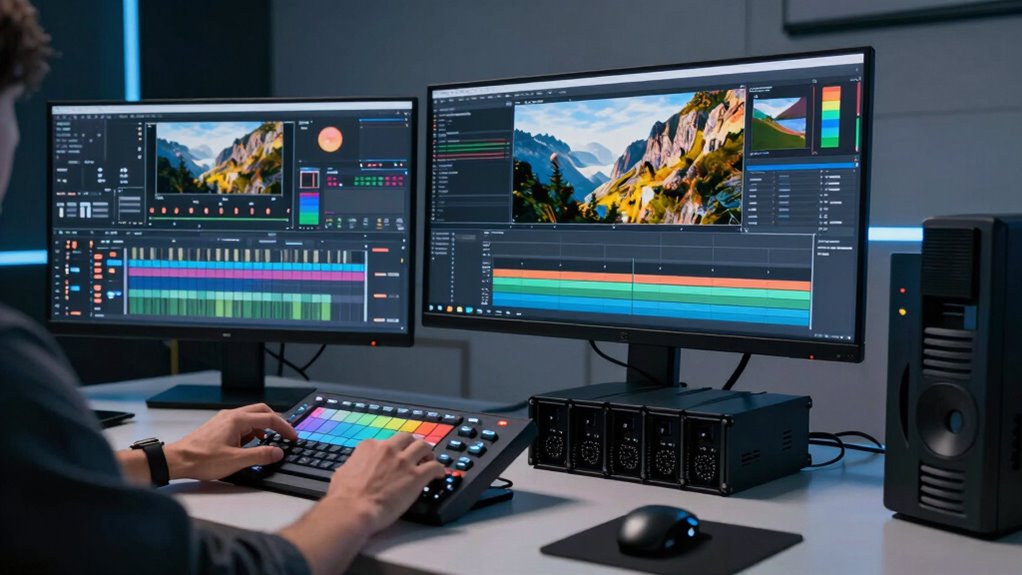
As 6K and 8K resolutions become more prevalent in filmmaking and post-production, understanding the right workflows is essential for managing the massive data and maintaining quality. Small productions, which often operate with limited budgets and resources, need to adapt their planning to handle the increased demands of these high resolutions. One of the biggest changes is in the approach to color grading. With higher resolutions, you’ll notice more detail and depth in your footage, making color correction and grading more nuanced but also more resource-intensive. You’ll want to invest in a workflow that allows you to work efficiently without sacrificing image quality. This often means utilizing optimized color grading software that can handle the large file sizes, and guaranteeing your setup supports real-time previews, which speeds up the creative process and reduces render times. Additionally, understanding high-resolution workflows can help streamline your process and avoid potential bottlenecks. Hardware requirements become a critical consideration. Unlike lower resolutions, working with 6K and 8K footage demands powerful computers equipped with high-performance CPUs, ample RAM, and robust graphics cards. If your hardware isn’t up to par, you’ll face slow rendering, laggy previews, and potential crashes, all of which can delay your project considerably. For small teams, this means planning ahead and possibly investing in scalable hardware solutions, such as SSD storage for faster data access or external GPU enclosures. You might also need to reconsider your storage strategies because these files rapidly consume disk space, requiring high-capacity, fast drives to keep workflows smooth. Beyond hardware, you’ll also need to rethink your post-production pipeline to accommodate the larger data sizes. This could involve adopting proxy workflows, where you edit with lower-resolution copies of your footage and then switch back to full-resolution files for final color grading and export. Proxy workflows help mitigate hardware limitations and reduce strain on your system during editing and color grading. To further improve efficiency, many small teams are exploring cloud-based storage solutions to handle the large data volumes more effectively. When it comes to color grading specifically, you need to be prepared for more detailed adjustments, which means using calibrated monitors capable of displaying higher color depths and resolutions. This ensures your grading decisions translate accurately across different viewing platforms.
high performance SSD for video editing
As an affiliate, we earn on qualifying purchases.
As an affiliate, we earn on qualifying purchases.
Frequently Asked Questions
How Do 6K and 8K Workflows Impact Storage Requirements?
You’ll need considerably more storage with 6K and 8K workflows because of higher resolution scaling, which produces larger files. As you handle increased data management, expect storage demands to grow exponentially, requiring faster drives and efficient archiving solutions. This means planning your storage infrastructure carefully to keep up with the larger file sizes, ensuring smooth editing and rendering processes without bottlenecks or data loss.
What Are the Cost Implications of Adopting 6K and 8K Workflows?
Adopting 6K and 8K workflows impacts your costs by increasing storage, hardware, and software expenses. You’ll need a detailed cost analysis to understand these investments and plan your budget effectively. While initial costs are higher, improved image quality and efficiency can offset expenses over time. Careful budget planning helps you balance these costs, ensuring you get the benefits without overstretching your finances.
How Do These Workflows Affect Editing Software Compatibility?
You’ll find that 6K and 8K workflows demand compatible editing software that supports high-resolution footage, especially for color grading and hardware optimization. These workflows often require updated applications that can handle large files efficiently, ensuring smooth editing and rendering. Compatibility issues may arise with older software versions, so staying current guarantees seamless integration, better performance, and ideal color grading capabilities, aligning with your high-resolution production goals.
What Training Is Needed for Small Production Teams?
Think of your small team as a jazz band; everyone needs to be in sync. You’ll need training in camera ergonomics to handle high-resolution equipment comfortably and lighting techniques to make the most of 6K and 8K clarity. Practical workshops or online courses can help you master these skills quickly. This guarantees smooth shoots, minimizes setup errors, and keeps your production flowing seamlessly, even with advanced workflows.
How Do 6K and 8K Workflows Influence Post-Production Timelines?
You’ll find that 6K and 8K workflows can extend post-production timelines due to higher resolution files requiring more processing time. Resolution scaling demands powerful hardware, and tasks like color grading become more intensive, slowing down editing. However, these workflows allow for greater flexibility in editing and cropping, ultimately improving quality. To stay efficient, you need to optimize your hardware and workflows, balancing resolution benefits with manageable post-production durations.
8K video editing GPU
As an affiliate, we earn on qualifying purchases.
As an affiliate, we earn on qualifying purchases.
Conclusion
Embracing 6K and 8K workflows is like planting seeds in a fertile field—you’re nurturing the future of your production. As the blossoms of clarity and detail unfold, your stories grow richer and more vibrant. These workflows are not just tools—they’re the compass guiding you through uncharted creative territory. With each step, you’re shaping a landscape where imagination thrives, transforming your small production into a towering tree of limitless possibilities.
calibrated 4K monitor for color grading
As an affiliate, we earn on qualifying purchases.
As an affiliate, we earn on qualifying purchases.
external GPU enclosure for editing
As an affiliate, we earn on qualifying purchases.
As an affiliate, we earn on qualifying purchases.